Into the Dead Crimson Heights VR Horror Review: Worth It?
Disclosure: As an Amazon Associate, Bytee earns from qualifying purchases.
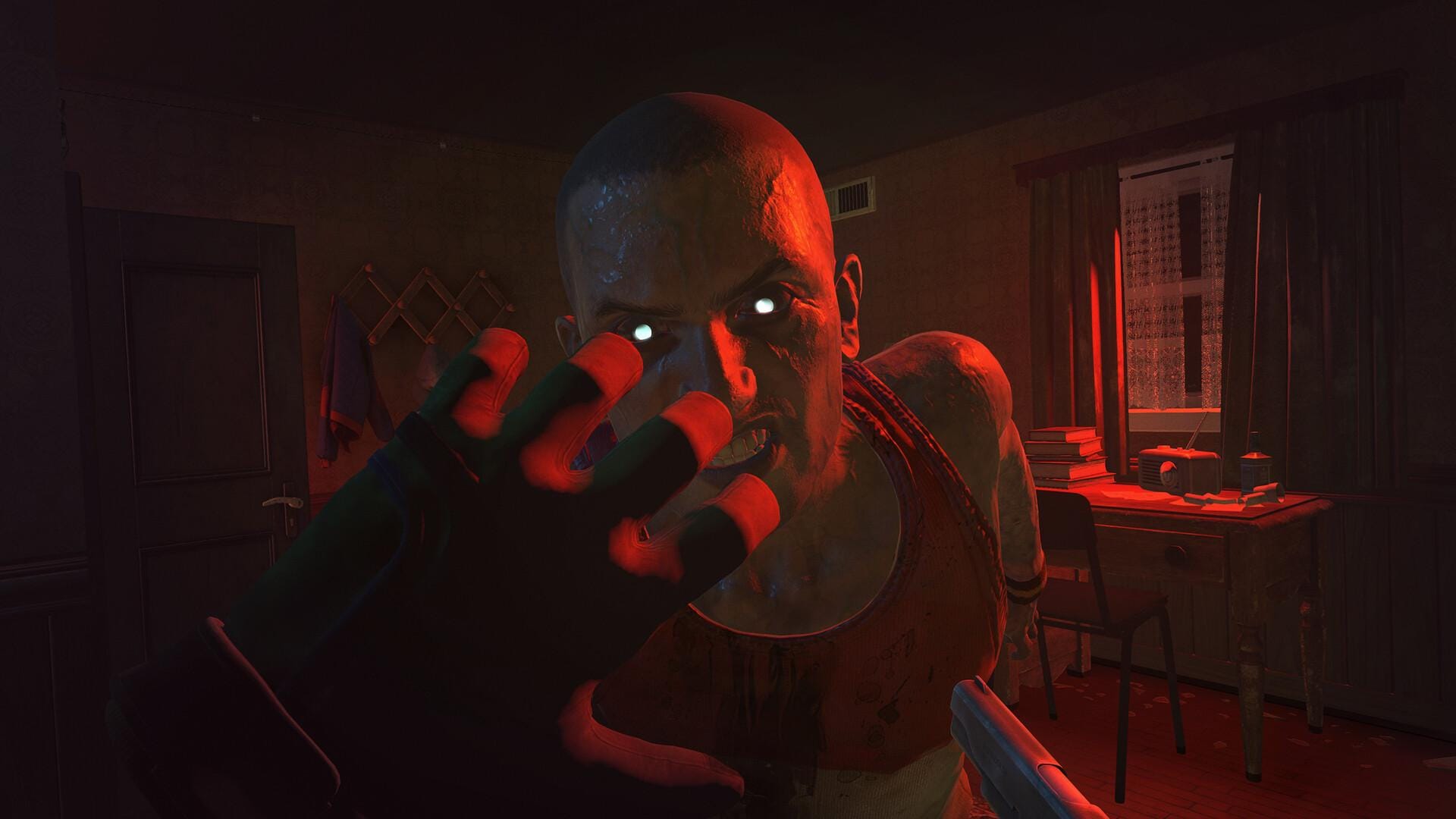
You hear it before you see it — a low drag, somewhere behind your left shoulder, exactly where your couch is — and for one full second your brain cannot decide whether the sound belongs to the game or to your room, and that is the moment Into the Dead Crimson Heights stops being a VR game and starts being something else entirely. Your living room is no longer a safe observation deck. It is a hunting ground. The walls you know by touch in the dark are now part of a zombie’s patrol route. Your furniture becomes cover, becomes a trap, becomes the exact geometry that an undead thing has learned to navigate while you were standing in the center, thinking you had the upper hand.
Platform(s): Meta Quest 2 / Quest 3 / Quest Pro / PSVR2 / PC VR (SteamVR)
Genre: Survival Horror, Room-Scale Shooter
Developer: PikPok (original Into the Dead mobile franchise)
Price: $24.99 (Quest 2/3), $29.99 (PSVR2), $26.99 (PC VR Steam)
Play Area: Roomscale required — minimum 2×2 meters, larger spaces recommended
Game Length: ~4–6 hours main campaign / Unlimited replayable encounter mode
Motion Sickness Risk: Moderate — locomotion sequences and occasional head-bob
VR-Native Design and Headset Compatibility Breakdown
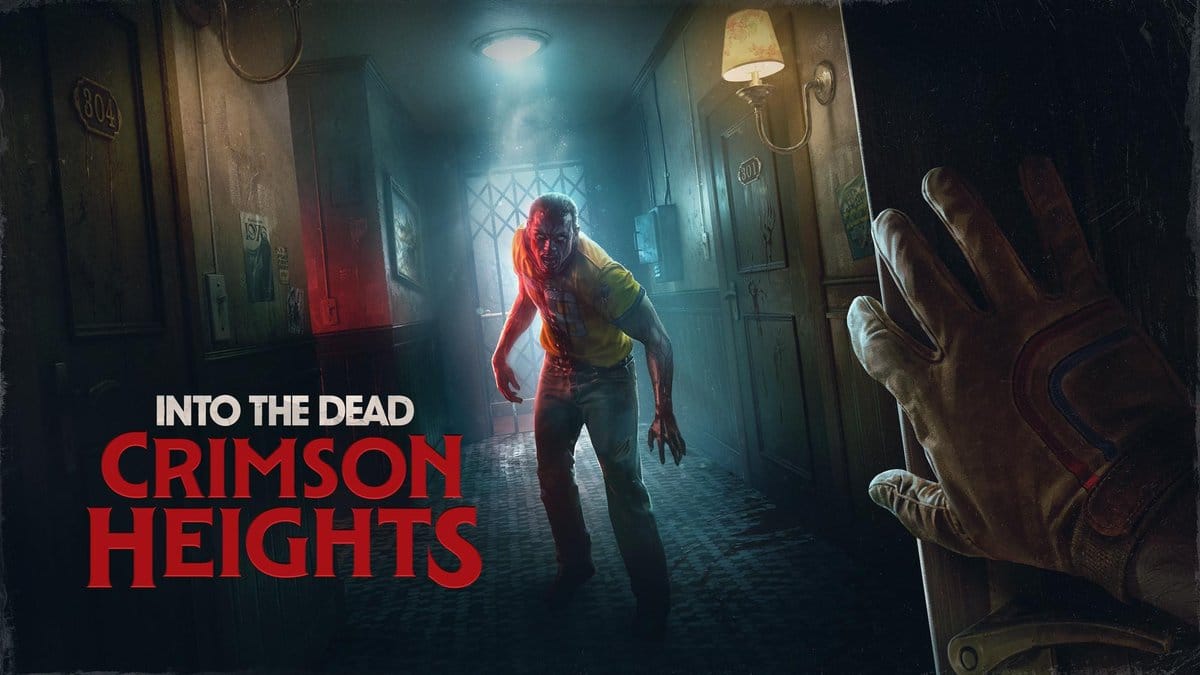
Into the Dead Crimson Heights is a full VR-native survival horror title, not a lazy port of its mobile predecessor. PikPok, the studio behind the original Into the Dead mobile franchise, made a deliberate pivot to VR with this one, and the decision shows immediately. This is not a flat-screen game shoehorned into a headset. It was built from the ground up with spatial audio, roomscale geometry, and hand-presence mechanics that simply cannot exist on a phone. The core architecture — guardian boundary integration, haptic-ready controller input, and real-time spatial audio positioning — proves this was engineered for VR-first, not adapted afterward.
You can play it on Meta Quest 2 (though with reduced resolution and longer load times), Quest 3 (the definitive standalone experience with 120Hz support and sharp visual clarity), Quest Pro, PSVR2 (with haptic feedback integration and eye-tracking adaptive AI), and PC VR via Steam. The campaign runs 4–6 hours depending on difficulty and your willingness to linger in each section, and there’s an endless encounter mode that replays procedurally generated waves of undead for leaderboard grinding. The core mechanic — using your real room’s walls, furniture, and doorways as part of the horror choreography — is what separates this from every other zombie shooter you’ve held controllers for. Across all platforms, the room-geometry mechanic functions identically, but the sensory intensity and visual fidelity vary significantly per headset.
The Immersive Room-Geometry Horror Experience
The genius of Into the Dead Crimson Heights lives in spatial horror that weaponizes your actual living room. The game reads your guardian boundary — the invisible wall that defines your playspace — and uses that data to route zombie encounters directly into the corners of your actual room. A zombie doesn’t just appear on your screen; it appears at the edge of your couch. It doesn’t just walk toward you; it walks along the wall you’ve known your entire life, and your brain short-circuits because the collision detection is perfect. Your furniture becomes part of the scare choreography. That coffee table you step over every morning becomes a barrier a zombie must navigate around, and when it does, the spatial 3D audio pins the sound of its shambling feet exactly where that table is in real space. Your ears cannot tell the difference between game and room anymore. On Quest 3, this spatial audio positioning is crisp and pinpoint-accurate. On PSVR2, the same audio is layered with haptic feedback through the headset frame itself, creating a second channel of dread that is genuinely unsettling.
The most memorable moment comes early: a door in-game aligns perfectly with your real door, and when a zombie breaches it, the visual and spatial audio line up so precisely that you will flinch. You will step backward. You will feel your real room contract. This is presence at the level of muscle memory override. Across headsets, the visual fidelity holds up well. Quest 3 delivers sharp clarity with some texture pop-in at distance; the 1832×1920 per-eye resolution is sufficient for recognizing zombie details at arm’s length. Quest 2, running at roughly 1440×1440 per eye, softens textures noticeably but the horror impact remains intact. PSVR2 pushes higher polygon counts and ray-traced shadows, with the OLED display producing deeper blacks that intensify the darkness between encounters. PC VR at maximum settings with ray-traced shadows and 4K texture packs is visually superior, but it demands a clean, reliable roomscale setup and consistent 90Hz+ frame rates to maintain presence without judder.
Gameplay Mechanics, Comfort Assessment, and Physical Demands
Controls are physical and intentional. You reload by miming the action — pulling a magazine out of your virtual belt and slotting it into the gun. Melee swings are tied directly to your arm velocity; a slow push won’t kill, but a hard swing will. There is no auto-aim. This means your accuracy depends entirely on your ability to aim and fire under pressure, which sounds exhausting and is exactly the point. The game wants you tired. It wants your arms heavy. It wants you to feel the weight of survival. After 45 minutes of sustained combat, your shoulders will burn. This is intentional design, not poor optimization.
Locomotion is primarily roomscale — you move by walking. There are forced locomotion sequences where the game moves you forward automatically (these are the motion sickness culprits), and you can toggle smooth locomotion or switch to teleport if roomscale alone isn’t enough. Seated mode exists but is not recommended; the spatial horror loses its teeth when you’re stationary. Standing play is mandatory for the full experience. The forced locomotion sequences — typically 8–12 second pushes through narrow corridors — trigger moderate discomfort in players with VR-legs still developing. Head-bob can be reduced via comfort mode toggle. Optimal session length is 30–45 minutes before fatigue sets in. Your arms will feel it. Your legs will feel it. Take a break.
Per-Headset Performance Matrix and Immersion Breakdown
Each version of Into the Dead Crimson Heights has a distinct identity, and your choice of headset genuinely matters here. The Quest 3 is the definitive standalone pick. Guardian integration is seamless and reliable, the 120Hz refresh rate is available for smoother motion, and the visual clarity is strong enough that you won’t feel like you’re missing out. Load times between areas average 3–4 seconds. The spatial horror mechanic — the core hook — works perfectly because the guardian boundary is rock-solid and updated in real-time. Hand-tracking is supported but optional; tracked controllers deliver superior precision for aiming. The Quest 2 runs the same game at a lower resolution with longer load times (6–8 seconds between areas), and if you have a clean roomscale space, you won’t regret it, but Quest 3 is worth the upgrade for this title alone due to the visual clarity and frame-rate stability.
PSVR2 is the horror immersion champion. The haptic feedback via DualSense controllers and the headset’s vibrational rumble layer add a visceral, tactile dimension that flat-controller systems cannot replicate. When a zombie lunges at you, you feel it in the frame of the headset itself — a sharp vibration that travels through the eye-tracking ring and into your head. When you reload, the controller rumbles with texture feedback. When you fire, the recoil travels through your hands and into your arms with a weight that Quest controllers simply cannot convey. Additionally, PSVR2’s eye-tracking is used for adaptive enemy AI — zombies watch where you look, respond to your gaze direction, and create a second layer of presence that is genuinely unsettling. The OLED display produces deeper blacks and richer colors, making shadows more threatening. Load times are competitive with Quest 3 (3–5 seconds). PC VR via Steam offers the highest visual fidelity, with ray-traced shadow options, 4K texture packs, and the sharpest textures at 1.5x or 2x supersampling. If your PC can handle it, PC VR delivers the most detailed zombie models and environmental textures. However, it demands a reliable roomscale setup and proper SteamVR guardian calibration; if your space has reflective surfaces or poor lighting, guardian tracking can drift mid-session, breaking immersion catastrophically.
| Headset | Visual Quality | Resolution Per Eye | Price | Exclusive Features | Load Times |
|---|---|---|---|---|---|
| Quest 3 | Sharp, strong clarity, minimal texture pop-in | 1832×1920 | $24.99 | Reliable guardian integration, 120Hz mode, hand-tracking support | 3–4 seconds |
| Quest 2 | Lower resolution, softer textures, visible pop-in | 1440×1440 | $24.99 | Same gameplay, longer load times, optional hand-tracking | 6–8 seconds |
| PSVR2 | High poly counts, ray-traced shadows, OLED blacks | 2064×2208 | $29.99 | Haptic feedback, eye-tracking adaptive AI, DualSense rumble, deeper color | 3–5 seconds |
| PC VR (Steam) | Highest fidelity, ray-tracing, 4K textures, best detail | Variable (1.5x–2x supersampling) | $26.99 | Customizable graphics, PC performance scaling, unlimited refresh rate | 2–3 seconds |
Final Verdict: Buy, Wait, or Skip by Headset and Player Profile
Into the Dead Crimson Heights is a strong buy for players who have a dedicated roomscale space and own either a Quest 3 or PSVR2. The room-geometry horror mechanic is genuinely innovative, and the spatial audio design is some of the best horror sound work in VR. The campaign is tight, 4–6 hours of focused terror, and the replayable encounter mode extends the value if you care about leaderboards. The price-to-hours ratio is competitive for the VR horror genre; you’re looking at $4–6 per hour of campaign play, which is fair for a VR-native title with this level of environmental integration. Replay value is moderate. The room-geometry scares lose novelty after your first playthrough because you know where the threats will come from. Your brain stops reacting to the perfectly-timed zombie breach at your real door because you’ve seen it before. But the encounter mode has legs if you’re chasing scores, and the game respects your time — there’s no padding, no bloat, no forced exploration of empty corridors. What you play is intentional.
Buy it now if you own a Quest 3 with a clean 2×2 meter play space — the all-around value and visual clarity make it the best entry point. Buy it now if you own a PSVR2 and prioritize haptic immersion — the DualSense feedback and eye-tracking AI elevate the horror experience above other platforms. Wait for a sale if you’re on Quest 2; the experience is solid but visually softer, and a $5–10 discount makes the value proposition stronger. Wait for a sale if you’re on PC VR and don’t have a perfectly calibrated roomscale setup; the visual gains aren’t worth guardian drift mid-encounter. Skip it if you’re motion-sensitive and unwilling to toggle comfort mode, because the forced locomotion sequences will trigger moderate discomfort. Skip it if your play space is smaller than 2×2 meters; the room-geometry horror mechanic requires that minimum footprint to function properly. Will you still be playing in a month? Yes, for encounter mode and leaderboard chasing. Campaign replay is unlikely, but the encounter waves will keep you coming back if you’re competitive about scores.
8.2 / 10
Quest 3: 9/10 — BUY NOW. Best For: Standalone horror enthusiasts with 2.5m+ space. Room-geometry mechanic is perfect here. Sharp visuals, fast load times, reliable guardian integration. | PSVR2: 8.5/10 — BUY NOW. Best For: Players prioritizing haptic feedback and immersion depth. DualSense rumble and eye-tracking AI elevate the experience. Haptic layer is game-changing for horror. | PC VR: 8/10 — WAIT FOR SALE OR PERFECT SETUP. Best For: Visual purists with flawlessly calibrated roomscale setups. Highest fidelity, but guardian drift risk in imperfect spaces. | Quest 2: 7.5/10 — WAIT FOR SALE. Best For: Budget-conscious players who own one already. Solid experience, softer visuals, longer loads. Worth it at $15–18 discount. | SKIP IF: Motion-sensitive, unwilling to use comfort mode or teleport. Forced locomotion sequences trigger moderate discomfort. Play space smaller than 2×2 meters.
Best For: Horror fans with a dedicated roomscale space who want VR to blur the line between game and real room. Requires standing play, clean furniture arrangement, and tolerance for 30–45 minute sessions before arm fatigue sets in.
Frequently Asked Questions
Does Into the Dead Crimson Heights work on Meta Quest 2 or only Quest 3?
Into the Dead Crimson Heights runs on both Meta Quest 2 and Quest 3, as well as Quest Pro. However, the Quest 2 version runs at a lower resolution (roughly 1440×1440 per eye versus Quest 3’s 1832×1920 per eye, approximately 70% visual clarity) and has noticeably longer load times between areas (6–8 seconds versus Quest 3’s 3–4 seconds). The room-geometry horror mechanic works identically on both headsets, but the guardian boundary integration is slightly more responsive on Quest 3 due to improved tracking hardware. If you own a Quest 2, the game is absolutely playable and worth experiencing, but Quest 3 is the recommended platform for this title due to visual sharpness and frame-rate stability at 120Hz.
How bad is the motion sickness in Into the Dead Crimson Heights?
Motion sickness risk is moderate, not severe. The primary culprit is forced locomotion — moments where the game moves you forward automatically without your input. These sequences (typically 8–12 seconds through narrow corridors) trigger discomfort in players sensitive to artificial movement. The head-bob and peripheral motion blur during smooth locomotion can also cause mild nausea. However, the game includes a dedicated comfort mode toggle that reduces head-bob and peripheral motion effects. Switching to teleport locomotion eliminates motion sickness risk entirely, though it reduces the immersion of the room-geometry horror mechanic. If you are highly motion-sensitive, use teleport mode and take 30–45 minute breaks between sessions. Beginner VR players should start in teleport mode for the first 3–4 sessions before transitioning to smooth locomotion after VR-legs develop.
Is Into the Dead Crimson Heights better on PSVR2 or PC VR?
PSVR2 is the better choice for horror immersion. The haptic feedback system — DualSense controller rumble combined with headset vibrational rumble transmitted through the eye-tracking ring — adds a tactile layer that PC VR controllers cannot match. When a zombie lunges, you feel it in the frame of the headset itself. PSVR2’s eye-tracking also enables adaptive enemy AI that responds to your gaze direction, creating an additional layer of presence that is genuinely unsettling. The OLED display produces deeper blacks and richer colors. PC VR via Steam has higher visual fidelity (ray-traced shadows, 4K texture packs, 1.5x–2x supersampling) and is the choice for visual purists, but it requires a clean, reliable roomscale setup and proper SteamVR guardian calibration; if your space has reflective surfaces or poor lighting, guardian tracking can drift mid-session, catastrophically breaking immersion. If you prioritize horror immersion and haptic feedback, choose PSVR2. If you prioritize visual quality and have a perfectly calibrated roomscale space, choose PC VR. For most players, PSVR2 is the more complete experience.