Quest Fixes The Biggest Capture Mess: VR Review & Verdict
Disclosure: As an Amazon Associate, Bytee earns from qualifying purchases.
If you’ve ever tried to capture your VR gaming glory and ended up with a blurry, headset-shaped void of disappointment, Meta just threw you a lifeline. The latest Quest update has finally tackled what might be the most infuriating problem plaguing VR content creators and casual players alike: screenshot and recording quality that looks like it was filmed through a potato wrapped in Vaseline. We’re talking about the difference between “wow, that boss fight looked EPIC” and “why does my character look like they’re made of Play-Doh?” This fix matters more than you’d think, especially when you’re trying to prove to your friends that VR is actually worth the investment instead of just looking like you’re flailing at ghosts in your living room.
The Screenshot & Recording Problem Nobody Wanted to Admit
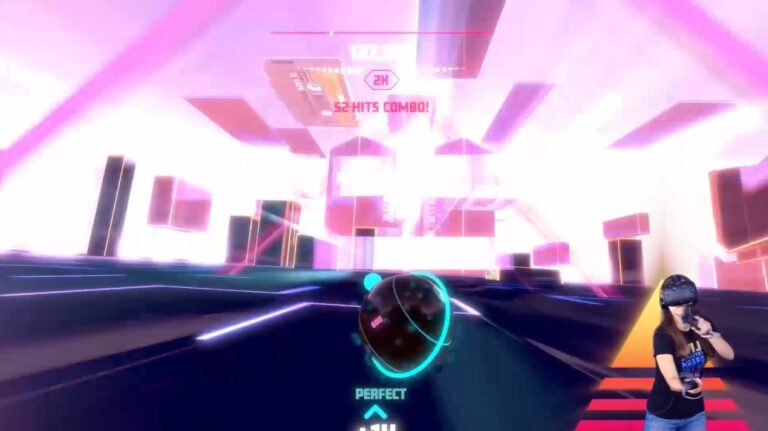
Here’s the brutal truth: VR headsets render games at ultra-high frame rates and resolutions inside the headset, but when you tried to capture that moment? The Quest would downscale everything to a laughable resolution that made your incredible immersive experience look like a 2005 flip phone video. It’s like your headset was gatekeeping your own memories. You’d witness the most mind-bending visuals imaginable, and your screenshot would look like someone described the game to you over a potato phone.
The core issue stemmed from how Quest handles output simultaneously: rendering high-quality visuals for the headset display while managing external recording streams. It’s a technical nightmare that Meta basically ignored for years, probably hoping we’d all just accept blurry proof of our adventures. But the community kept complaining, and rightfully so. When you’re playing Asgard’s Wrath 2 or Beat Saber, you want your captures to reflect the actual spectacle, not some compression artifact that looks like abstract art nobody asked for.
This update directly addresses that disconnect, finally giving Quest users screenshot and video recording quality that actually represents what they’re experiencing. It’s not revolutionary in the cosmic sense, but it’s absolutely essential for anyone who wants to document their VR sessions without feeling like they’re using technology from 2015.
What Changed in the Latest Update
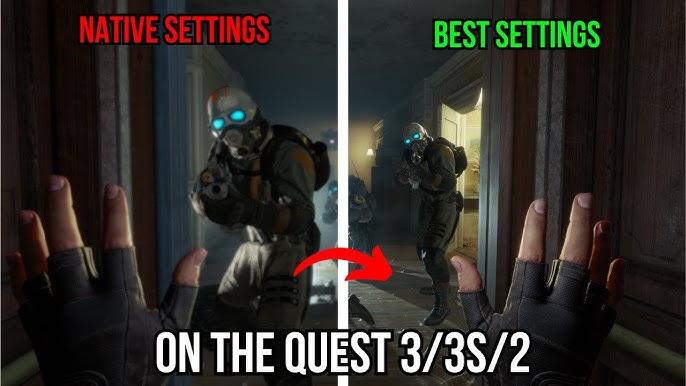
Meta implemented improved output streaming protocols that maintain higher fidelity when capturing gameplay. The technical nitty-gritty involves better buffer management and reduced compression artifacts, which translates to: your screenshots now look like actual games instead of fever dreams rendered by a confused AI. Video recordings maintain smoother frame rates and better color accuracy, making those clips you want to share actually worth uploading.
The update applies across Meta Quest 3, Meta Quest 3S, and Meta Quest 2 (though Quest 2 performance will vary given its older hardware). If you’re running PCVR through SteamVR or using PSVR2, you’re likely still stuck with whatever capture limitations your platform imposes—this is purely a Quest ecosystem upgrade. The fix works for both still screenshots and continuous video recording, so whether you’re documenting your Beat Saber high scores or your embarrassing tumbles in Pavlov, the quality now actually reflects your experience.
The best part? It’s automatic. You don’t need to fiddle with settings or sacrifice performance. Meta basically just flipped a switch and made your captured content look professional-grade instead of like a paranormal investigation tape.
Why This Matters for VR Content Creation
The VR community thrives on shared experiences. Streamers, content creators, and casual players all want to prove that their $400-$650 headset investment isn’t just an expensive paperweight. With garbage capture quality, it’s nearly impossible to convince people that VR is genuinely revolutionary. Your clips looked worse than console gameplay from a decade ago, which absolutely killed the vibe when trying to recruit friends into the VR ecosystem.
This update opens doors for legitimate VR content creation on Quest without requiring expensive capture cards or PC streaming setups. You can finally share your gameplay directly from the headset with quality that doesn’t make you look like you’re gaming in a blizzard. That’s huge for the platform’s growth and for the community’s ability to celebrate wins together.
VR Comfort & Performance Implications
Now, the elephant in the room: does better screenshot quality impact actual gameplay performance? Short answer: not noticeably. The Quest 3 and 3S already run at 90Hz with solid performance optimization, and this update targets the output pipeline rather than the render pipeline. You won’t see frame drops or motion sickness spikes from this change—if anything, you might experience marginally better stability since Meta refined some backend processes.
For motion sickness concerns, the update is neutral. It doesn’t affect locomotion, camera handling, or frame rate consistency. Games like Half-Life: Alyx or Contractors maintain their existing comfort profiles. If you were getting sick before, you’ll get sick the same amount. If you were fine, you’ll stay fine.
Seated vs. Room-Scale: Again, this update is purely about capture. Your ability to play seated or standing depends entirely on the game itself, not on screenshot quality. Most Quest titles support both modes, and that hasn’t changed.
The Broader VR Landscape Context
This fix arrives at an interesting moment for VR. Meta’s also hiking Quest 3 and Quest 3S prices, DIRECTV is bringing live TV streaming to Quest (launching Spring 2026), and the ecosystem is pushing harder into mixed reality. Better content capture helps justify these investments. When your grandparents can actually see what you’re doing in VR instead of watching you look like you’re swatting invisible bees, adoption barriers crumble.
Meanwhile, games like Sock Puppet Superstar (genuinely one of the silliest VR experiences ever created) and BlackGate (a 4v1 sci-fi horror game getting new alien unlockables) showcase the range of experiences Quest supports. Having quality capture for these diverse titles means the platform can better evangelize its library. Nobody’s going to get excited about a blurry video of sock puppets doing weird dances, but a crisp capture? That’s comedy gold.
PCVR players using SteamVR or PSVR2 users won’t see direct benefits from this Quest-specific update, but it represents Meta’s commitment to making their ecosystem more creator-friendly. That’s the kind of infrastructure investment that signals confidence in VR’s future.
The Verdict: Is This Update Worth Your Attention?
If you own a Quest headset and you’ve ever felt frustrated by terrible screenshots or video captures, this update is a straightforward win. It costs nothing, improves nothing you should worry about, and makes everything you capture look substantially better. It’s not a game-changer in the sense of introducing new features, but it’s absolutely a quality-of-life improvement that removes a genuine pain point.
For casual players who don’t care about recording, it’s irrelevant. For anyone who wants to document their VR adventures, share clips, or create content, it’s essential. The fact that Meta finally addressed this issue after years of community feedback is worth celebrating, even if the fix itself is relatively quiet and technical.
Think of it like finally cleaning your VR lens after months of use—you didn’t know how much grime was accumulating until you wiped it away and suddenly everything looked crystal clear.
FAQ: Quest Screenshot & Recording Update
Q: Will this update cause motion sickness?
A: No. The screenshot quality improvement doesn’t affect gameplay rendering, frame rates, or locomotion systems. Your motion sickness risk profile remains unchanged.
Q: Can I play my games seated, or do I need full room-scale?
A: That depends on the individual game, not this update. Most Quest titles support both seated and standing play. Check the game’s description for specific requirements.
Q: Does this work on Quest 2, or only Quest 3/3S?
A: The update applies to Quest 2, 3, and 3S, though Quest 2 may see slightly less dramatic improvements due to its older hardware.
Q: What about PCVR or PSVR2 users?
A: This is a Meta Quest-specific update. PCVR players use SteamVR’s native capture system, and PSVR2 users rely on PlayStation’s infrastructure. Neither platform received changes from this update.
Q: Will my games run faster or smoother after this update?
A: Not necessarily. The update optimizes output streaming, not core gameplay rendering. Frame rates and performance should remain consistent with pre-update levels.
Q: Can I use this for livestreaming?
A: Yes, if you’re streaming directly from your Quest headset. The improved output quality benefits streaming services, though serious streamers typically use external capture cards for maximum control.
Q: Is this update mandatory?
A: Like all Quest system updates, it will eventually become mandatory for platform access. You should install it whenever prompted.