Microsoft Flight Simulator PS VR2 Support: Ready for Takeoff?
Disclosure: As an Amazon Associate, Bytee earns from qualifying purchases.
Buckle up, buttercup — Microsoft Flight Simulator is finally coming to PlayStation VR2, and the internet has been losing its collective mind faster than a student pilot overcorrecting on final approach. Asobo Studio and Microsoft have targeted next week for the PSVR2 support launch, which in gaming industry speak means “probably next week, maybe the week after, definitely not never.”
For those of us who’ve been drooling over the idea of strapping on a headset and pretending we’re a competent aviator from the comfort of our couch — while our actual driving record suggests we shouldn’t be trusted with a go-kart — this is genuinely enormous news.
Microsoft Flight Simulator has already proven itself as one of the most jaw-dropping PCVR experiences on the planet, and bringing that photorealistic, whole-Earth-as-your-playground madness to Sony’s premium headset could be the killer app PSVR2 desperately needs right now. So let’s strap in, run the preflight checklist, and figure out whether this is cleared for takeoff or destined to crash and burn on the runway.

What Is Microsoft Flight Simulator VR Support, and Why Should You Care?
Let’s get the basics out of the way for anyone who somehow wandered into this review while Googling “how to fly a real plane” (please don’t, we beg you). Microsoft Flight Simulator — specifically the 2020 edition and its subsequent updates, culminating in the 2024 refresh — is a staggeringly ambitious simulation game that uses real-world satellite data, Bing Maps imagery, and AI terrain generation to recreate the entire surface of planet Earth as a flyable environment. Every major airport. Every mountain range. Your childhood home, rendered in enough detail to make you feel nostalgic and slightly creeped out simultaneously.
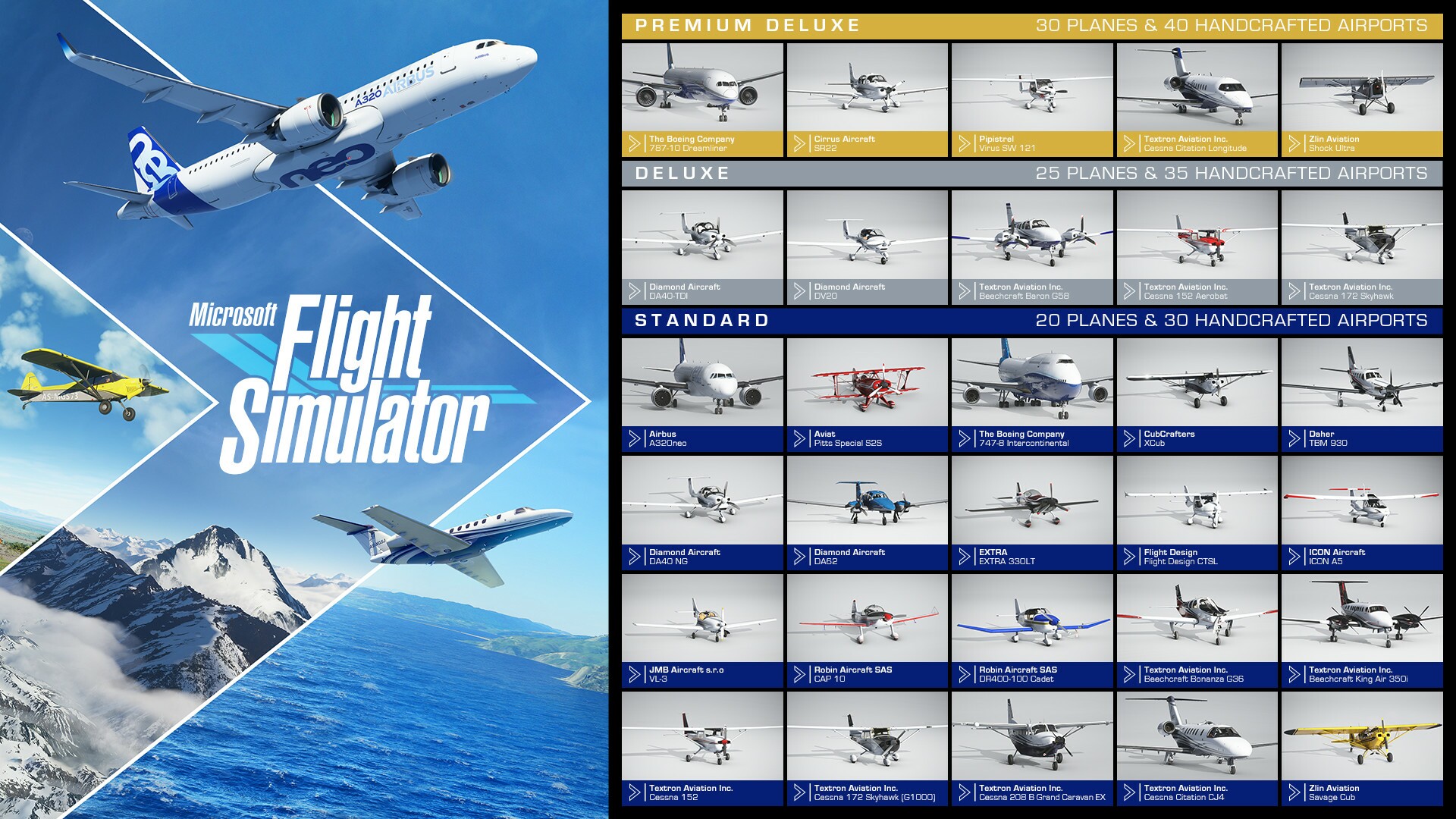
The Microsoft Flight Simulator PSVR2 support is being targeted for release next week as a free update for existing owners of the game on PlayStation 5. That’s right — free. No separate purchase, no “VR Edition” upcharge, no surprise $29.99 DLC that unlocks your ability to actually see in three dimensions. If you own Microsoft Flight Simulator on PS5, you get the PSVR2 update at no additional cost. The base game currently runs $69.99 for the Standard Edition on PlayStation Store, with higher-tier editions running up to $119.99 for the Premium Deluxe package stuffed with additional aircraft and airports.
As for platform support: this is currently a PSVR2 and PCVR situation. PCVR support via SteamVR and Windows Mixed Reality has been available since 2020 and remains the gold standard if you’ve got the rig to run it. Meta Quest 2 or Quest 3 standalone support does not exist, and frankly, asking a Quest 3 to render the entire photorealistic Earth would be like asking your microwave to run Crysis. It’s not happening. If you want Microsoft Flight Simulator in VR on a budget, PCVR with a capable GPU is your path. If you want it on your couch with zero PC required, PSVR2 is your new best friend — assuming next week’s update doesn’t get delayed into the aerospace industry’s favorite timeline: “sometime in Q4.”
VR Immersion: Does Flying Feel Real Enough to Make You Sweat?
Here’s where things get genuinely exciting, and also where I have to be upfront that some of these impressions are based on the existing PCVR version — because surprise, surprise, the PSVR2 update isn’t technically out yet. But given that Asobo has been refining VR support for years and PSVR2’s hardware is legitimately impressive, we can make some well-educated predictions mixed with confirmed details from the developer.
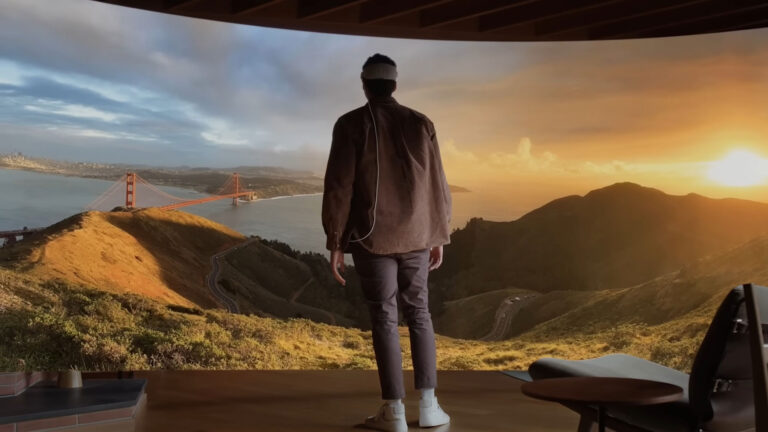
The PCVR version of Microsoft Flight Simulator is, without exaggeration, one of the most immersive VR experiences ever created. Sitting in a cockpit at 35,000 feet, watching the curvature of the Earth through a windshield while clouds drift past in real time, is the kind of moment that makes you forget you’re sitting in your living room wearing a foam-padded face computer. The sense of scale is absolutely unmatched — nothing in VR prepares you for looking down at a city from a commercial airliner altitude and watching it shrink into a grid of tiny lights.
For PSVR2 specifically, the headset’s eye-tracked foveated rendering is going to be crucial here. Flight Simulator is a notoriously demanding game, and PSVR2’s ability to render at full quality only where your eyes are actually looking — and drop resolution in your peripheral vision where you won’t notice — is basically the only reason this can run on PS5 hardware without looking like a PS2 game. The PSVR2 Sense controllers will be used for cockpit interactions: grabbing throttles, flipping switches, adjusting navigation panels. The haptic feedback in those controllers, combined with the headset’s own rumble system, means you’ll actually feel engine vibrations and turbulence in a way that flat-screen players simply cannot. That’s not a gimmick — that’s genuine immersion enhancement.
Hand tracking in the cockpit is expected to follow the same approach as the PCVR version, where you use motion controllers to physically reach out and interact with instruments. Reaching across the virtual cockpit to flip the landing gear switch while simultaneously managing your descent rate is the kind of multi-tasking chaos that will either make you feel like a real pilot or make you feel like a golden retriever trying to operate an ATM. Both outcomes are valid.
VR Comfort Check: Will This Make You Sick as a Dog?
Okay, let’s talk about the elephant — or rather, the airsick bag — in the room. Microsoft Flight Simulator and VR motion sickness have a complicated relationship. This is not Beat Saber. This is not a stationary shooter where you stand in one place and point at things. This is a game where you are hurtling through the air at 500 miles per hour, banking through turns, climbing through cloud layers, and occasionally nose-diving into the Swiss Alps because you misread an altimeter.
The good news: flight simulators are actually among the more comfortable VR experiences for many people, because your body is seated and stationary while your visual field moves — similar to how many people don’t get carsick when they’re driving but do when they’re a passenger. When you’re in control of the aircraft, your brain has a better time reconciling the visual motion with your physical stillness. The bad news: turbulence effects, crosswind landings, and — God help you — aerobatic maneuvers in a Spitfire are a completely different story. Your vestibular system will file a formal complaint.
Locomotion options are straightforward here since you’re in a cockpit: you’re seated, you’re stationary, and you’re flying a plane. There’s no teleportation system because you don’t need one. There’s no smooth locomotion debate because you’re not walking anywhere. This is, fundamentally, a seated experience, and that’s actually a major comfort advantage. You can — and absolutely should — play this in a proper chair or racing/flight seat setup.
Using a HOTAS (Hands On Throttle And Stick) controller setup with PSVR2 on PS5 is reportedly supported and transforms the experience from “cool VR demo” to “I need to call in sick tomorrow because I was flying over New Zealand all night.”
For comfort settings, Asobo has historically included options to reduce motion effects and camera shake in VR. If you’re sensitive, start with the most sedate aircraft (a Cessna 172, not an F/A-18) and keep your sessions under 30 minutes initially. VR legs are real, and they take time to develop. Think of it as pilot training — except instead of years of expensive flight school, it’s a few weeks of mild nausea and then suddenly you’re fine.
Performance: Can PSVR2 Actually Handle This Beast?
This is the million-dollar question — or rather, the $69.99 question. Microsoft Flight Simulator is the game that made RTX 4090 owners humble. It has historically been one of the most demanding titles on any platform, and running it in VR doubles that demand because you’re rendering two slightly offset views simultaneously.
On PCVR, you need serious hardware to get a smooth experience. We’re talking RTX 3080 minimum for a comfortable framerate at reasonable settings, and even then you’ll be making compromises. Frame drops in VR are not just annoying — they are a direct ticket to Nausea Town, population: you. A stuttering VR experience is genuinely worse than a poor flat-screen experience in a way that’s hard to overstate. When the frame rate tanks in flat gaming, you notice a hitch. When it tanks in VR, your brain screams that reality is broken and your stomach starts making plans.
On PS5 with PSVR2, the situation is different because the hardware is fixed and Asobo can optimize specifically for it. The eye-tracked foveated rendering is doing a lot of heavy lifting, and the PS5’s custom SSD means world streaming — one of Flight Simulator’s traditional weak points — should be significantly less painful than on a mid-range PC. Early indicators from Asobo’s communications suggest they’ve worked hard to hit a stable target framerate, but we won’t know the real story until the update drops and the community starts reporting back. If there’s one thing flight sim communities are good at, it’s detailed technical feedback. And complaining. Mostly complaining.
The visual fidelity on PSVR2 will not match a maxed-out PCVR setup on a top-tier GPU — that’s simply physics. But PSVR2’s display specs (2000×2040 per eye, 120Hz capable, OLED panels with HDR) are legitimately excellent, and the real-world scenery in Flight Simulator at even medium settings is more visually stunning than most games running at maximum. Seeing a photoreal recreation of Paris from a hot air balloon in VR on PSVR2 will still make your jaw drop, even if a PC enthusiast somewhere is smugly pointing out that his cloud textures are 12% more detailed.
Value Proposition: Is This a Full Game or an Expensive Tech Demo?
Here’s where Microsoft Flight Simulator defies every conventional VR review framework, because the question of “how long is the campaign” doesn’t really apply when the campaign is literally the entire planet Earth. There is no campaign in the traditional sense. There are structured flight lessons, landing challenges, bush trips across exotic locations, and online multiplayer where you can share the skies with other players. But fundamentally, this is a sandbox simulation, and its “length” is measured in however many hours you want to spend exploring the world from above.
This is emphatically not a glorified tech demo — it’s one of the deepest, most content-rich simulation games ever made. The VR support is a mode, not a separate product. You get the full game with all its aircraft, all its airports, all its weather systems, and all its ongoing live updates that incorporate real-world weather data. The question of replayability is almost absurd — you could spend a thousand hours in this game and still have airports you’ve never landed at, routes you’ve never flown, and weather phenomena you’ve never experienced.
That said, it’s worth noting that casual gamers may bounce off this hard. Microsoft Flight Simulator rewards patience, study, and a genuine interest in aviation. If you’re expecting to hop in and dogfight like Top Gun within ten minutes, you’re going to be confused and then frustrated. This is a sim first, a game second, and a VR experience third — but when all three elements click together, it’s unlike anything else in the medium.
The VR Industry Landscape: Why This Matters Right Now
Let’s zoom out for a second, because the timing of this Microsoft Flight Simulator PSVR2 support announcement matters in the context of the broader VR scene. PSVR2 has had a rough year in terms of software support momentum, and a marquee title like Flight Simulator landing as a free update for existing owners is exactly the kind of headline that reminds people why they bought Sony’s headset in the first place.
Meanwhile, the rest of the VR world is buzzing: Payday: Aces High developers are teasing details and fielding PSVR2 port requests; Exoshock’s Founders Edition is generating hands-on excitement; and Green Hell’s 2026 roadmap promises a major PC VR update that survival horror fans are very here for. On the tech side, researchers are apparently inducing smells with ultrasound now (no chemical cartridges required — your nose is about to become a peripheral), and Google’s XR Gemini extension lets developers “vibe code” WebXR experiences in seconds, which either sounds amazing or terrifying depending on your feelings about AI-generated VR content.
The point is: VR is having a moment, and Microsoft Flight Simulator arriving on PSVR2 is a genuine landmark. This isn’t a niche indie title or a quick cash-grab port. This is one of the biggest, most technically impressive games on the planet choosing to support one of the best VR headsets on the market. That’s a statement.
Final Verdict
If you own a PSVR2 and a copy of Microsoft Flight Simulator on PS5, this update is a no-brainer download the moment it drops. It’s free, it’s going to be spectacular, and the combination of PSVR2’s display quality, haptic feedback, and eye-tracked rendering with Flight Simulator’s incomprehensible scale and photorealistic Earth recreation is the kind of VR experience that justifies the entire hobby. This is why people buy headsets.
If you don’t own Flight Simulator yet, the $69.99 asking price for the Standard Edition is absolutely justified for the sheer volume of content you’re getting, and VR support turning it into a portal to the real world seen from above pushes it firmly into “essential purchase” territory. Just buy a proper chair first. Your spine will thank you after hour six of flying over Patagonia.
On PCVR, this remains the gold standard flight sim VR experience if you have the hardware. On PSVR2, it’s about to become one of the platform’s defining titles. Either way, clear skies ahead — assuming the update doesn’t get pushed to “targeted for the week after next.” Fingers crossed. HotGameVR Rating: 9/10 — Land This One Immediately.
FAQ: Microsoft Flight Simulator PSVR2 Support
Will Microsoft Flight Simulator PSVR2 support cause motion sickness?
It has significant motion sickness potential for VR newcomers, but less so than many other VR games because it’s a seated experience where you’re in control of the movement. Start with slow, stable aircraft and short sessions. Avoid aerobatics until you’ve built up your VR legs. If turbulence effects are too intense, check the VR comfort settings — Asobo has historically included options to dial down camera shake.
Can you play Microsoft Flight Simulator PSVR2 seated?
Yes — in fact, seated is essentially the only way to play it, and that’s a feature, not a limitation. This is a cockpit simulation. You sit down, you fly a plane. No room-scale required, no guardian boundary issues, no accidentally punching your entertainment center. Grab a good chair, or better yet, a proper flight seat, and you’re golden.
Is Microsoft Flight Simulator available on Meta Quest 3?
No. Microsoft Flight Simulator does not support Meta Quest 2 or Quest 3 in standalone mode, and there are no announced plans for it. The hardware demands of rendering photorealistic Earth-scale environments simply exceed what a standalone mobile chipset can handle. PSVR2 and PCVR (SteamVR/Windows Mixed Reality) are your options. If you’re on Quest 3 and desperate for a flight experience, check out other PCVR options via Air Link or a wired connection.
Is the PSVR2 update for Microsoft Flight Simulator free?
Yes. If you own Microsoft Flight Simulator on PlayStation 5, the PSVR2 support update is being released as a free update. No additional purchase required. This is one of those rare good-news gaming moments — cherish it.
How does Microsoft Flight Simulator PSVR2 compare to PCVR?
PCVR on a high-end GPU (RTX 4080/4090 class) will have higher visual fidelity and more graphical customization options. However, PSVR2 offers optimized performance, excellent OLED display quality, eye-tracked foveated rendering, and haptic feedback that PCVR headsets generally lack. For most users, PSVR2 will deliver a more consistently smooth and immersive experience than PCVR on mid-range hardware, while top-tier PC setups will still edge it out in raw visual quality.