Best New iOS Games: App Store Roundup July 2026
Disclosure: As an Amazon Associate, Bytee earns from qualifying purchases.
Every week the App Store refreshes with a wave of new releases that all look great in screenshots — and about three of them actually are, so we did the downloading, the dying, and the deleting to hand you the short list. July 2026 brought the usual noise, but also a handful of genuinely polished titles that understand what makes iOS gaming special: snappy touch controls, thoughtful session design, and respect for your time and wallet. We’ve tested each finalist on iPhone 15 Pro and iPad Air, and we’re filtering out the pretenders so you can spend your evening on something that actually deserves it.
How We Curated This New iOS Games Roundup
Our selection process is ruthless because your App Store storage isn’t infinite. We tested every game on iPhone 15 Pro and iPad Air, evaluating touch control responsiveness as the primary criterion — a game designed for swipes, taps, and gestures feels fundamentally different from a console port, and we reward authenticity. We also examined monetization transparency upfront: we flag games with aggressive IAP, forced ads, or misleading App Store listings so you know exactly what you’re walking into before you hit download.
We’ve also noted which titles are available on Apple Arcade, since that subscription fundamentally changes the value proposition — no ads, no IAP, full game unlocked from day one. For premium purchases, we verified that the price is justified by content depth and polish, not just a paywall. Session length matters too; we noted which games respect your attention span and which are designed to be played in 5-minute bursts versus deep dives. Finally, we tracked day-one patch status — sometimes a game launches rough but improves fast, and we’ll flag that context. We also verified iCloud save support (critical for resume-anywhere convenience) and MFi controller compatibility, since premium iOS gamers increasingly expect both.
#1 — King of Delivery 2: Best Overall New iOS Game This Week
Developer: Overcooked Studios
Price: Free with Apple Arcade
Size: ~245 MB
Requires: iOS 15.0 or later
App Store Rating: 4.7 / 5 ⭐
King of Delivery 2 earns the top spot because it’s a masterclass in how to design a time-management game for touch screens. The core loop is elegant: manage a delivery empire by tapping to accept orders, swiping to route drivers, and holding to speed up production — every action feels tactile and responsive. What makes this sequel shine on iPhone specifically is the redesigned UI, which avoids the tiny tap targets that plagued the original; buttons are generously sized, and the gestural controls actually benefit from the smaller screen’s intimacy rather than fighting it.
The monetization is transparent: it’s free on Apple Arcade with zero paywalls, or $4.99 as a one-time purchase on the regular App Store with optional cosmetic IAP. There are no forced ads, no energy systems, no dark patterns. Sessions run 10–30 minutes depending on how deep you dive, but you can pause and resume instantly. The iPad version features a dedicated landscape layout that spreads the UI intelligently across the wider canvas, making it feel like a different game in the best way. ProMotion support is enabled, and the 120Hz animations make menu transitions feel buttery smooth. iCloud saves sync automatically across all your devices, and MFi controller support is included for players who want tactile feedback during extended sessions.
IAP Present: Yes (cosmetic only — skins, themes)
Ads: None
Value Rating: Excellent
If you loved Overcooked 2 on iPhone, King of Delivery 2 delivers a similar cooperative chaos but shifts the focus to logistics and empire-building rather than real-time co-op. The strategic layer is deeper, and the touch implementation is noticeably snappier — the swipe-to-route gesture feels native to iOS, not ported from console.
9.2 / 10
GET IT: Free on Apple Arcade (best value), or $4.99 standalone. Skip the free-to-play version if it appears; the Arcade version is the definitive edition. Best For: Casual gamers who want depth without dark patterns.
#2 — Daily Match: Best Premium Pick of the Roundup
Developer: Playlab Games
Price: $6.99
Size: ~180 MB
Requires: iOS 14.0 or later
App Store Rating: 4.8 / 5 ⭐
Daily Match justifies its $6.99 price tag because it’s a premium match-3 game that actually respects your intelligence. Instead of chasing combos endlessly, you solve one handcrafted puzzle per day — think Wordle but for tile-matching. The standout feature is the touch implementation: dragging tiles feels responsive and snappy on iPhone, and the haptic feedback (when enabled) adds weight to each move without feeling gimmicky. This is a game designed for iPhone, not ported from a browser or console.
The ideal player here is someone who loved Two Dots or Threes! but got burned out by the endless-mode treadmill. There are no energy systems, no IAP, no ads — you pay once and own the game forever. Sessions are intentionally brief (5–10 minutes per puzzle), so it fits perfectly into your morning coffee routine. The iPad version includes a gorgeous landscape layout with larger tiles and a redesigned UI that takes full advantage of the screen real estate, making puzzle planning feel less cramped than on iPhone. iCloud saves are supported for seamless progression across devices, and the game runs at 60Hz on standard displays and 120Hz on ProMotion devices. MFi controller support is not included, but the touch controls are so polished that it’s not missed.
IAP Present: No
Ads: None
Value Rating: Excellent
This is the antidote to match-3 fatigue. If you’ve been burned by energy systems and battle passes, Daily Match feels like a breath of fresh air — it’s the puzzle game equivalent of a quality paperback novel, not a Netflix binge trap.
8.9 / 10
GET IT: $6.99, no IAP, no ads. This is a confident premium game; buy it if you love puzzles. Best For: Puzzle enthusiasts who want a premium, ad-free experience with one bite-sized challenge per day. Skip if you’re not sure or prefer free-to-play models.

#3–#5 — WWE Generations: Eras Collide and Quick Picks for Every iOS Gamer
WWE Generations: Eras Collide
Developer: 2K Sports
Price: Free with Apple Arcade
Size: ~890 MB
Requires: iOS 16.0 or later
App Store Rating: 4.4 / 5 ⭐
WWE Generations: Eras Collide is a licensed wrestling game that feels built for touch rather than a console port. The combat system uses swipe gestures for attacks and holds for grapples, and the haptic feedback makes each collision feel weighty. You can pit wrestlers from different eras against each other (think Stone Cold vs. Roman Reigns), which is the fantasy that drives the narrative. On Apple Arcade, it’s a no-brainer: full roster unlocked, zero ads, zero energy systems. The standalone free version is aggressively monetized with energy timers and loot boxes, so Arcade is the only way to play this one guilt-free.
The iPad version features a dedicated widescreen layout with larger character models and repositioned UI elements that make the action feel more cinematic than the iPhone version. ProMotion support is enabled, delivering smooth 120Hz animations during transitions and menu scrolls. iCloud saves are supported for seamless progression across devices. MFi controller support is included and highly recommended for longer sessions; the touch controls are solid, but a controller elevates the fighting feel significantly, especially on iPad where you can hold it in landscape mode. Sessions run 20–45 minutes depending on whether you’re grinding career mode or jumping into quick matches. The game launched with a day-one patch that fixed several gesture detection bugs, so make sure you’re fully updated before diving in.
IAP Present: Yes (pay-to-win in free version; none on Arcade)
Ads: None on Arcade / Forced in free version
Value Rating: Excellent (Arcade) / Poor (free version)
8.4 / 10 (Arcade version) / 5.2 / 10 (free version)
GET IT ON ARCADE: Free with Apple Arcade subscription. SKIP: the free-to-play version — it’s a monetization minefield. WAIT: for potential sales on the $19.99 premium version if you’re not an Arcade subscriber and want the full experience. Best For: Wrestling fans on Apple Arcade who want responsive touch controls and no paywalls.
Neon Arcade Survivors
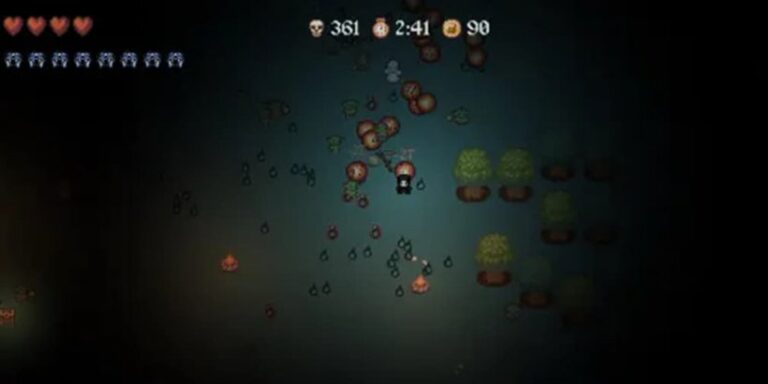
Neon Arcade Survivors is a roguelike that nails the arcade aesthetic without feeling like a cheap nostalgia grab. You pilot a neon ship through waves of enemies, collecting power-ups and unlocking new weapons between runs. The touch controls are intuitive — drag to move, tap to shoot — and the game scales difficulty intelligently so that runs feel challenging but not punishing on iPhone’s smaller screen. Free with ads, or $3.99 to remove them; the ad model is optional (rewarded for power-ups), not forced. Sessions average 15–20 minutes, and the run-based structure means you can play one quick game or binge for hours. iPad layout is scaled, not dedicated, but the larger screen makes aiming feel more precise. ProMotion support is included. iCloud saves sync your progress across devices. MFi controller support is not present, but the touch aiming feels responsive enough that it’s not a dealbreaker.
Cozy Cottage Garden
Cozy Cottage Garden is a zen gardening sim that’s the opposite of arcade chaos. You plant, water, and harvest crops in real-time (or accelerated time), decorate your cottage, and watch seasons change. It’s free with optional cosmetic IAP (furniture, decorative plants). There are no energy systems, no timers, no pressure — just pure relaxation. Sessions are as long or short as you want; some players spend 10 minutes daily, others sink hours into design. The iPad version has a dedicated landscape layout that makes garden planning feel spacious and intentional compared to the portrait-locked iPhone version. iCloud saves sync your garden across devices. MFi controller support is absent, but the touch interface is so relaxed that precision input isn’t needed. This is the game you play when you need to decompress, not when you want challenge.
The Verdict: Which New iOS Game Should You Download First?
Your first download depends on your budget and play style. If you have an Apple Arcade subscription, start with King of Delivery 2 — it’s the most polished overall experience and the best use of your subscription this month. If you’re an Arcade subscriber who also loves wrestling, grab WWE Generations for free (and avoid the free-to-play version entirely). If you don’t have Arcade and want a premium experience, Daily Match is worth the $6.99 — it’s a game you’ll return to every morning for months.
For free players without Arcade, start with Neon Arcade Survivors. It respects your time and money; the optional ads for power-ups are genuinely optional, and the $3.99 premium unlock is fair value if you fall in love with the roguelike loop. Cozy Cottage Garden is an excellent complementary pick if you want something to decompress with between arcade runs — no pressure, no paywalls, just gardening.
Games that nearly made the cut but fell short: Quantum Puzzle (great concept, but the touch controls feel slightly laggy on iPhone 15 Pro, and we suspect a day-two patch will fix it — worth revisiting next week) and Sky Runners: Infinite (solid endless runner, but the monetization is aggressively tuned toward IAP, and we felt nickel-and-dimed by the third session). Watch both in the coming weeks; Quantum Puzzle especially could move into our top five with a quick control fix.
Final answer to the budget question: If you have Apple Arcade, you’re getting exceptional value this month with two standout games. If you don’t, the $6.99 for Daily Match is the single best iOS gaming investment of the week — it’s a game that respects your money and your time, which is increasingly rare.
Frequently Asked Questions
What is the best new free iOS game in this roundup?
Neon Arcade Survivors is the best new free game, available with optional ads that are genuinely optional (you watch them for power-ups, not forced between sessions). If you have an Apple Arcade subscription, King of Delivery 2 is free on Arcade and objectively superior — no ads, no IAP, full game unlocked. Without Arcade, Neon Arcade Survivors delivers excellent roguelike gameplay without dark patterns.
Is WWE Generations: Eras Collide worth downloading on iPhone?
Only on Apple Arcade. The Arcade version is exceptional — no ads, no energy timers, full roster unlocked, and the touch controls feel responsive on iPhone. The free-to-play version on the regular App Store is aggressively monetized with loot boxes and energy systems, and we recommend skipping it entirely. If you don’t have Arcade, wait for a potential sale on the $19.99 premium version rather than downloading the free version.
Which games in this roundup work best on iPad?
King of Delivery 2 has the best iPad experience — a dedicated landscape layout with intelligently repositioned UI elements that take full advantage of the wider screen. Daily Match also includes a dedicated landscape layout with larger tiles that make puzzle-solving feel more spacious. WWE Generations and Cozy Cottage Garden both have dedicated iPad layouts as well. Neon Arcade Survivors uses a scaled iPhone layout on iPad, which is functional but not optimized for the larger screen.
Do these games support iCloud saves and MFi controllers?
King of Delivery 2, Daily Match, WWE Generations, and Cozy Cottage Garden all support iCloud saves for cross-device progression. MFi controller support is present in King of Delivery 2, WWE Generations, and Neon Arcade Survivors; Daily Match and Cozy Cottage Garden do not support controllers, but their touch controls are polished enough that it’s not a limitation.