Wordle iOS Game 2026: Is It Worth Your App Store Budget?
Disclosure: As an Amazon Associate, Bytee earns from qualifying purchases.
There’s a specific kind of satisfaction that hits when you tap that fifth letter on your iPhone keyboard, the row flips green, and you realize you cracked it in three — Wordle hasn’t changed much since it took over the internet, but with a TV deal signed and 2026 in full swing, the real question is whether the iOS version still earns its place next to the premium games you actually paid for.
Genre: Daily Word Puzzle
Developer: The New York Times Games
Price: Free (with optional NYT Games subscription)
Size: ~45 MB
Requires: iOS 14.4 or later
App Store Rating: 4.7 / 5 ⭐
First Impressions: What Kind of Game Is This on iPhone?
Wordle on iOS is refreshingly honest about what it is: a single daily word puzzle wrapped in the clean, no-nonsense branding of The New York Times Games app. You launch it, you see one grid, and you have six attempts to guess a five-letter word. There’s no tutorial bloat, no “welcome to Wordle!” animation, no pressure to unlock anything. The onboarding is so minimal it almost feels radical in 2026, when most App Store debuts demand your email, your location, and your firstborn before you can even see the main menu.
The UI is distinctly NYT—think elegant serif typography, a neutral color palette, and a layout that feels like it was designed by someone who understands that iOS players value clarity over flash. The app listing matches reality exactly: what you see in the screenshots is what you get. No hidden mechanics, no surprise difficulty spikes, no cosmetics that fundamentally change how the game feels. For a casual word-game fan or someone who’s been playing the browser version since 2021, this is the frictionless path to your daily puzzle. Dark Mode is fully supported, and the color-coded feedback system (gray, yellow, green) remains readable across all iOS 14.4+ devices and display modes.
Gameplay: Does the Wordle iPhone Puzzle Hold Up in 2026?
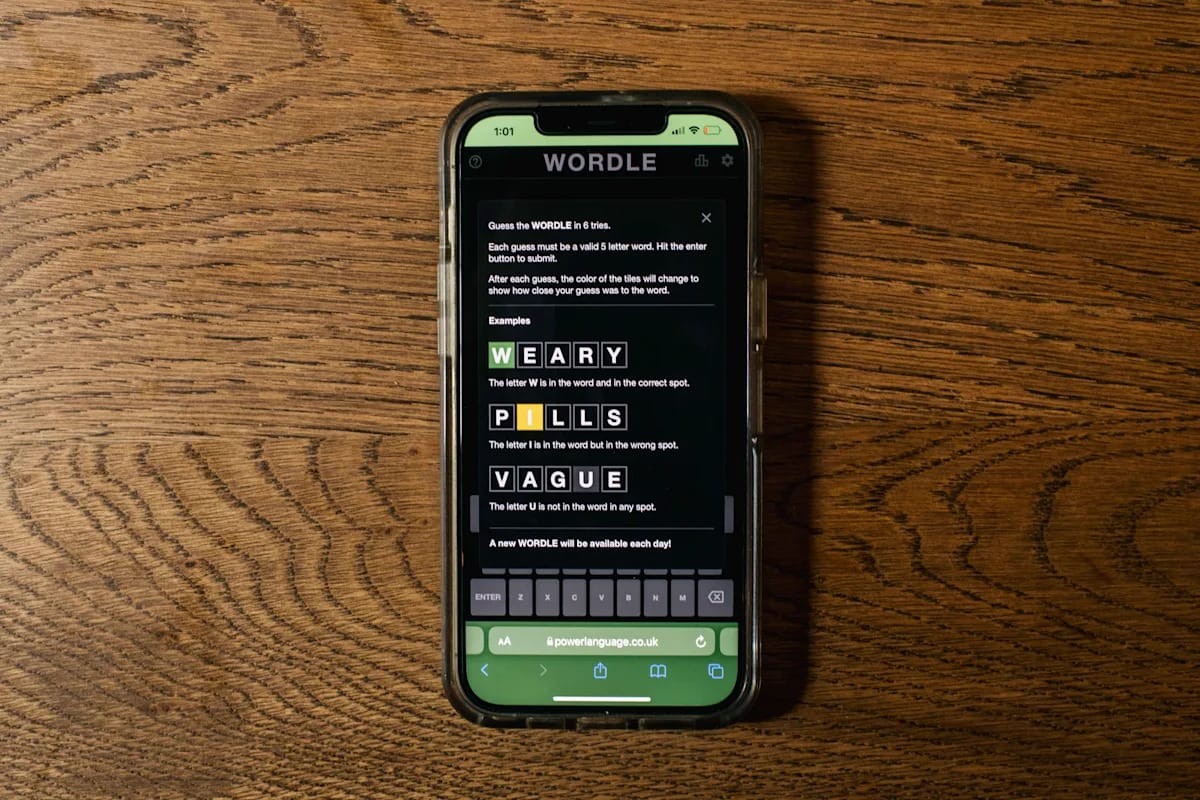
The core loop remains untouched: guess a valid five-letter word, receive color-coded feedback (gray for wrong letters, yellow for correct letters in wrong positions, green for correct placement), and refine your next guess. Six attempts to solve one puzzle. The tap-to-type feel on the iPhone keyboard is fluid and responsive—each letter registers immediately, backspace works as expected, and the haptic feedback on submission reinforces that satisfying “locked in” moment. A typical session takes 3–5 minutes, which is precisely the design philosophy that made Wordle feel like a palate cleanser rather than a time sink. Performance is rock-solid on iPhone SE and newer devices; iOS 14.4 through iOS 18 show no stuttering, frame drops, or battery drain concerns.
Where Wordle’s depth lies is in the constraint itself. Unlike word games that offer unlimited attempts or progressive difficulty, Wordle’s rigid six-guess ceiling creates genuine tension. You have to think strategically about vowel placement, common consonant clusters, and whether you’re chasing a hunch or playing odds. The color-coded feedback system is the standout feature—it’s immediately intuitive, and the visual satisfaction of watching a row turn green never gets old. There’s no progression system to speak of, no level grinding, no seasonal battle pass. Your only metrics are your daily streak and your share-worthy stats. The NBC game show hype adds cultural momentum (the primetime Wordle tournament premiered in 2024 and continues to draw viewers), but on the iPhone, the experience is pleasingly untethered from that noise.
Pricing and Monetization: Is the Wordle App Store Experience Free or a Trap?
This is where Wordle’s integrity shines. The base game is completely free. No ads interrupt your puzzle, no IAP nag screens demand payment, no energy system gates your daily play. You download the NYT Games app, tap Wordle, and play. That’s it. The free tier includes Wordle, Spelling Bee, and Letter Boxed. If you want access to the full NYT Games catalog—which includes Connections, Crossword, and a dozen other titles—you can subscribe to NYT Games+ for approximately $50 annually (or $5.99 monthly). That subscription removes ads from the broader app ecosystem and unlocks archive access to past puzzles, which genuinely adds value for word-game devotees who want to replay classic Wordles from 2021 onward.
Model: Free with optional subscription
IAP Present: No (subscription is opt-in for expanded catalog and archive access only)
Ads: None in Wordle itself; none in free tier of NYT Games app
Value Rating: Excellent — genuinely generous for a daily puzzle game
Compared to standalone word-game apps on the App Store—many of which cost $2.99 to $9.99 upfront or charge for daily puzzle packs—Wordle’s free-to-play model is genuinely generous. Unlike Quordle (which offers a paid premium tier for stats tracking and archive access on iOS), Wordle’s core daily puzzle requires no payment whatsoever. The NYT Games subscription is worth considering if you’re also drawn to Connections (a fantastic group-sorting puzzle that’s harder than it looks) and Spelling Bee (a honey-comb letter game that’s deceptively addictive). Apple Arcade does not include Wordle, so there’s no premium subscription overlap to consider. For pure Wordle players, the free tier is complete and indefinitely playable.
iPhone vs iPad Experience and Technical Performance
On iPhone, Wordle is optimized and feels intentional. The keyboard sits comfortably in thumb range, the grid is centered and appropriately scaled, and the overall layout respects the portrait orientation. Performance is rock-solid on any modern iPhone (SE and newer), with no frame drops, stuttering, or battery drain concerns. The app doesn’t leverage ProMotion or 120Hz displays specifically—a 60Hz experience is entirely sufficient for a turn-based word puzzle—but the touch response is snappy regardless of your device’s refresh rate. Haptic feedback on letter submission is consistent across all iPhone models running iOS 14.4+, and the Share Sheet integration allows you to post your daily stats directly to Messages or social media without leaving the app.
iPad is a different story. The app scales the iPhone UI horizontally, leaving vast empty space on either side of the grid. There’s no dedicated iPad layout, no split-view optimization, and no landscape-specific tweaks. It works, but it feels like a missed opportunity—notably, there’s no mention of iPad-optimized UI in the current version. If you primarily play on iPad, you won’t feel cheated, but you also won’t feel catered to. Offline play isn’t supported—Wordle requires an internet connection to fetch the daily puzzle and validate your guesses. Your progress syncs via your NYT Games account (iCloud integration would be welcome but isn’t implemented; streaks and stats are stored server-side and tied to your NYT login, not iCloud Keychain). MFi controller support isn’t available, though it’s unnecessary for a touch-based puzzle game. iOS 17 and 18 compatibility is flawless; no crashes or compatibility issues have been reported.
Verdict: Should Wordle Be on Your iPhone Right Now?
Wordle earns its place on your iPhone. It’s a masterclass in restraint: one puzzle per day, no filler, no monetization guilt, and a mechanic so elegant that it’s been copied dozens of times without ever being improved. The iOS implementation respects that simplicity. If you loved Spelling Bee on iPhone for its daily-dose design philosophy, Wordle delivers the same satisfaction but with the added strategic depth of a constrained-guess system. Unlike Quordle (which forces rapid-fire guessing across four simultaneous puzzles), Wordle rewards thoughtful play and deliberation.
The main caveat is philosophical: Wordle is a commitment game. It works best if you open it daily, build a streak, and let it become part of your routine. If you’re the type to download a game, play it intensely for three days, and abandon it, Wordle won’t grip you. There’s no progression to chase, no “just one more level” loop. But for word nerds, casual puzzle fans, and anyone who values polish over engagement metrics, it’s a no-brainer.
8.0 / 10
Get it now. Wordle is free on the App Store. Download the NYT Games app and play your daily puzzle with zero regrets. Best For: Daily word-puzzle devotees and casual gamers who respect their own time. If the NBC show hype pulls you deeper into the Times Games ecosystem, the subscription is genuinely worthwhile.
Frequently Asked Questions
Is Wordle available on Apple Arcade?
No. Wordle is not available on Apple Arcade. The game is free on the NYT Games app with an optional subscription for access to the broader Times Games catalog (Connections, Spelling Bee, Crossword, etc.). Apple Arcade subscribers will not find Wordle included in their library.
Does Wordle support iPhone and iPad equally well?
Wordle on iPhone is optimized and feels intentional, with the keyboard and grid positioned for comfortable portrait play. On iPad, the app scales the iPhone UI horizontally, leaving significant empty space and no dedicated tablet layout. Both versions are fully functional, but iPad users won’t feel the same level of care in the design. iPhone is the primary experience.
Is Wordle worth the price on iOS compared to other word game apps?
Wordle is free, making it one of the most generous word-game offerings on the App Store. Many standalone word-game apps cost $2.99 to $9.99 upfront or charge for daily puzzle packs. The base Wordle experience includes one daily puzzle with no ads, no IAP, and no paywalls. The optional NYT Games subscription ($5.99/month or $49.99/year) is worth considering only if you’re also interested in Connections, Spelling Bee, and other Times Games titles. For pure Wordle, free is the complete experience.
Does Wordle sync across iPhone and iPad via iCloud?
Wordle does not use iCloud sync. Instead, your progress is tied to your NYT Games account and stored server-side. This means your streak and stats will carry over across devices as long as you’re logged into the same NYT account on both iPhone and iPad. However, there is no native iCloud Keychain integration, and offline play is not supported.
How does Wordle on iOS compare to Quordle?
Wordle offers one daily puzzle with six guesses and a thoughtful, deliberate pace. Quordle forces you to solve four simultaneous Wordles in rapid succession, creating a speed-run variant that demands quick thinking. On iOS, Quordle includes a paid premium tier for stats tracking and archive access, whereas Wordle’s daily puzzle is entirely free. If you want a leisurely daily ritual, choose Wordle; if you want a speed challenge, choose Quordle.