Monopoly Go iOS Art Style Explained: Worth Your App Store Budget?
Disclosure: As an Amazon Associate, Bytee earns from qualifying purchases.
The moment you roll the dice in Monopoly Go, something happens that most mobile games never manage — your iPhone feels like it’s actually celebrating with you, all chunky animations and saturated color and that little token strutting across the board like it owns the place, and before you’ve processed what just happened, you’re already reaching for another roll. It’s tactile. It’s rewarding. And it’s designed to make you feel like a winner every single time, which is precisely the problem — and the genius — of what Scopely has built here.
Developer: Scopely
Price: Free (with IAP)
Size: ~650 MB
Requires: iOS 14.0 or later
App Store Rating: 4.6 / 5 ⭐
First Impressions: What Kind of Game Is This on iPhone?
Monopoly Go is not a strategy game. That’s the first thing to understand, and honestly, it’s liberating. You’re not calculating optimal property purchases or bankrupting opponents through cunning negotiation. Instead, you’re tapping a dice roller once per turn, watching your token bounce across a vibrant isometric board, and either collecting rent or getting attacked by neighbors. Each session lasts two to five minutes. The core loop is roll-build-attack, repeated until you run out of dice or hit a timer gate. It’s designed for commutes, bathroom breaks, and the dead air between meetings.
The onboarding is snappy — you’re rolling within thirty seconds — but the tutorial is relentless with prompts. Every new feature gets a popup. Every social mechanic gets an explanation. It’s almost aggressive in its hand-holding, but it works. By the time you’ve finished the first ten minutes, you understand exactly what this game is: a nostalgia-driven casual experience that targets players who remember Monopoly from childhood but want something that respects their modern attention span. The art style signals this immediately. This isn’t the austere, rule-heavy board game your grandparents played. This is Monopoly filtered through a mobile-first lens, exaggerated and energized specifically for touch screens. iCloud save is supported, so your progress syncs seamlessly if you switch between iPhone and iPad, though the iPad experience itself is scaled poorly (more on that below). MFi controller support is absent by design — the game is touch-only, and adding controllers would dilute the snappy tap-and-celebrate loop.
The Art Direction Recipe: What Makes Monopoly Go’s Visual Style Work on Mobile
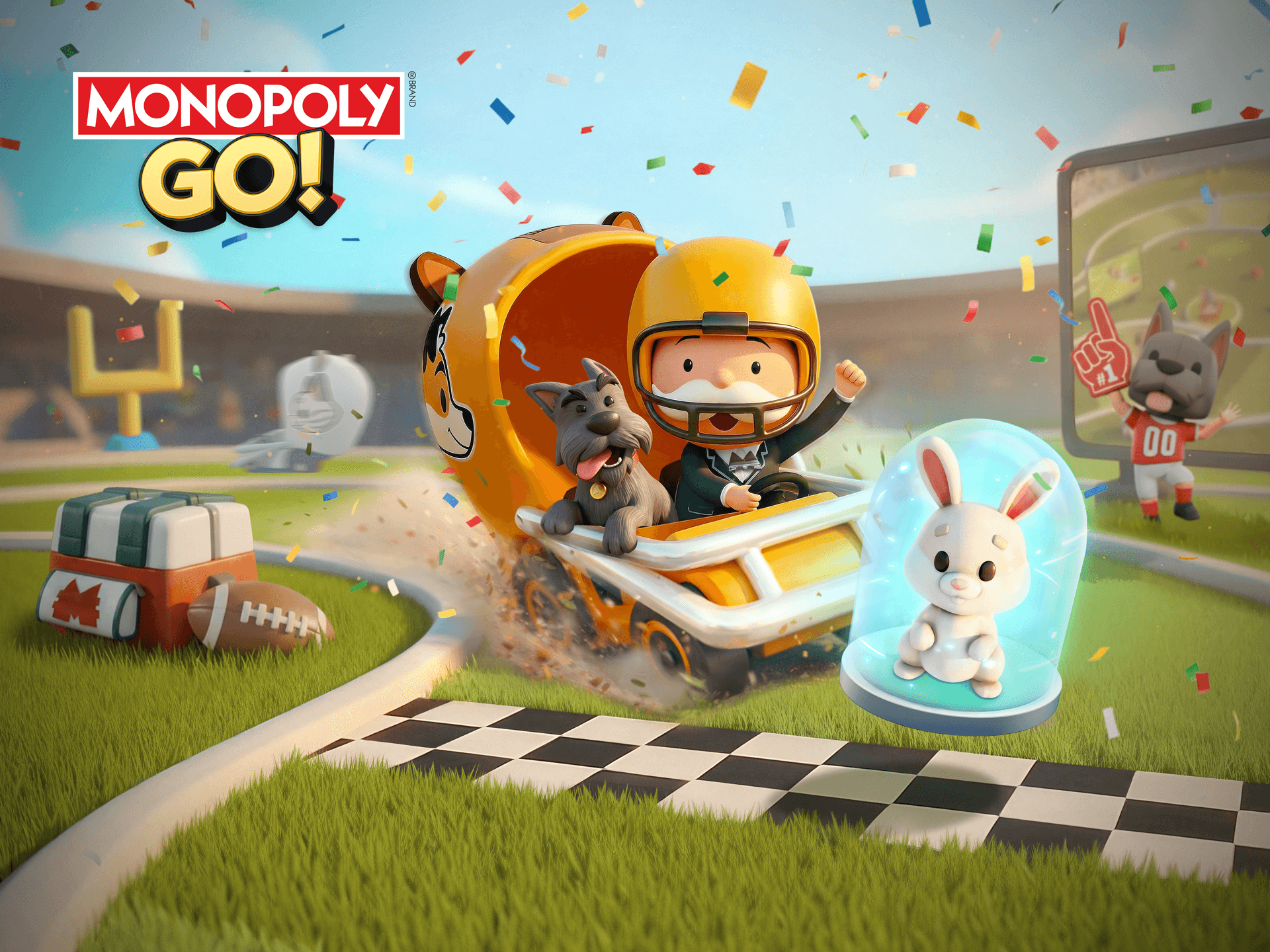
The visual design of Monopoly Go is the primary keyword here because it’s not accidental — it’s the entire value proposition. The board is rendered in 3D isometric perspective, which gives it depth and dimension on a small screen without requiring constant camera adjustment. The color palette is saturated primaries: hot pinks, electric blues, acid greens, and oranges that practically vibrate off the display. Every property has its own distinct visual identity, pulled directly from classic Monopoly but amplified. Mediterranean Avenue isn’t a subtle tan anymore; it’s a neon-lit beach resort. Boardwalk doesn’t whisper luxury; it screams it with gold accents and champagne fountains.
The token animations are where the art direction truly earns its keep. When your piece lands on a property, it doesn’t just stop. It performs a little victory strut, a spin, a celebration. When you collect rent, coins cascade across the screen in exaggerated arcs. When you’re attacked, your token staggers backward dramatically. These animations are chunky, unsubtle, and absolutely essential to the game’s psychological reward loop. They’re using visual feedback to replace the tactile satisfaction of moving a physical token across a physical board. On iPhone, where the screen is small and the interaction is just a tap, these animations do the heavy lifting of making you feel like you’ve accomplished something meaningful. That’s not cynical game design; that’s respectful mobile design. The animations run at a solid 60Hz on iPhone 12 and newer, with no frame drops during property celebrations. Older iPhones (iPhone 11 and below) may experience minor stuttering during heavy animation sequences, but the core experience remains intact.
The UI is legible even on iPhone 12 mini screens, though it’s clearly optimized for the standard iPhone 13 / 14 / 15 canvas. Property cards, dice counts, and player names are readable without zooming. The asset quality matches the App Store screenshots exactly — no bait-and-switch here. The art style also signals something important about monetization intent. The vibrant, celebratory aesthetic is deliberately aligned with spending triggers. When you see that animation play, your brain registers it as a win, and the game immediately offers you a chance to accelerate more wins by spending currency. The art direction isn’t just beautiful; it’s persuasive.

Gameplay: Does the Visual Polish Back Up the Experience?
Here’s the honest truth: the dice mechanic has almost no depth. You tap, the dice roll, you move. There’s no strategy in the roll itself, no skill-based element that separates good players from mediocre ones. The real gameplay is in the property acquisition and the social attack-and-shield system. You’re collecting properties to build token-generation engines, then you’re either attacking neighbors’ properties for rent or defending your own with shields. It’s simple enough that a five-year-old could grasp it, but there’s enough property variety and event cycling that casual players stay engaged for weeks.
Touch controls are one-tap simple, which is exactly right for this game. There’s no precision required, no swipe gestures that feel awkward on mobile. You tap the dice, the animation plays, the game progresses. Sessions are designed to be interrupted. You can stop mid-session without losing progress, come back hours later, and pick up where you left off. The standout feature is the social attack system — you’re raiding neighbors’ properties, and they can raid yours back, creating a low-stakes PvP economy that drives engagement. Progression pacing is deliberately front-loaded. Early game moves fast, properties unlock quickly, and you feel powerful. Then around level 20-30, the gates come down. You need more dice to progress, and the shop is very interested in selling them to you. Battery drain is moderate during active play sessions — expect 8-12% drain per thirty-minute session on iPhone 14 Pro. The game requires constant internet connectivity; there’s no offline mode, which limits play during flights or subway tunnels.
iPhone vs iPad Experience and Technical Performance
Monopoly Go is designed for iPhone first, and this limitation is immediately obvious on iPad. The primary canvas is the standard 6.1-inch display, and the UI scales beautifully to smaller phones like the iPhone 12 mini. On iPad, the experience is functional but underwhelming. The board stretches to fill the larger screen, but the UI doesn’t adapt — it’s just a scaled-up iPhone layout with a lot of empty space around the edges. There’s no dedicated iPad layout, no landscape mode optimization, and no ProMotion 120Hz support. iPad Pro 12.9-inch users have reported minor clipping bugs where property card text extends beyond UI boundaries, but these don’t affect actual gameplay. The animations run smoothly on iPhone 12 and above at 60Hz, but you won’t see the silky 120Hz experience on iPad Pro models even if you’re using an M1 or M2 iPad.
iCloud save synchronization works flawlessly across iPhone and iPad if you use the same account. Your progress, properties, and dice balance will sync within seconds of logging back in. However, given the poor iPad layout, most iOS players should treat this as an iPhone game with optional cloud backup rather than a true multi-device experience. MFi controller support is absent, and it’s intentional — the game is designed as a touch-only experience, and adding controller support would fundamentally change the interaction model. Older iPhones (iPhone 11 and below) may experience minor frame drops during heavy animation sequences, but the game remains playable.
Pricing and Monetization: What the Art Style Is Really Selling You
IAP Present: Yes — Aggressive pay-to-win structure
IAP Pricing: $1.99 (basic dice pack) to $99.99 (premium currency bundle)
Ads: Optional (rewarded only; no forced ads)
Value Rating: Fair (disciplined players, $0-10/month) / Poor (high spenders, $50+/month)
Monopoly Go is free to download, and you can play indefinitely without spending a cent. But here’s what happens: you earn dice slowly. You spend dice quickly. Around hour three, you’ll hit a paywall. You can watch an ad for a few bonus dice, or you can wait eight hours for them to regenerate, or you can spend real money. The IAP structure is predatory by design. A basic dice pack runs $1.99. A mid-tier bundle is $19.99. The ceiling? $99.99 for premium currency bundles. There’s no single “battle pass” or cosmetic-only tier. The entire progression system is gated behind energy (dice), and energy is the primary monetization lever. Compared to competitors like Dice Dreams (which uses a similar but slightly more generous regeneration timer) and Merge Dragons (which offers more cosmetic-only IAP options), Monopoly Go is more aggressive about pushing players toward spending earlier in the progression curve.
The art style and animation quality are weaponized here. Every celebration animation, every coin cascade, every token strut is designed to make you feel like you’re winning. Then the game immediately offers you a way to win faster by spending. It’s not subtle, but it works because the game is genuinely fun for short sessions. If you have the discipline to set a personal spend limit — say, $5 per month or zero — you’ll get tremendous value. If you don’t, you can easily spend $50+ monthly and still feel like you’re progressing slower than whale players. The value-per-hour is high if free-to-play discipline is maintained, but premium players will find the IAP ceiling extremely high and the progression curve increasingly punishing. Notably, the monetization is identical across iOS, Android, and web — there’s no version advantage for iPhone players.
Verdict: Is Monopoly Go Worth Your App Store Budget Right Now?
Monopoly Go is an exceptionally well-designed casual game that respects your time and your intelligence, right up until the moment it asks you to spend money. If you loved Dice Dreams on iPhone, this delivers a similar quick-hit dice-rolling loop but with deeper property-building mechanics and a more aggressive monetization model. The art direction is genuinely excellent for mobile — vibrant, tactile, and perfectly calibrated to make simple interactions feel rewarding. The social features work, the progression is satisfying for the first 10-15 hours, and the visual polish is consistent throughout.
The catch is that this is a game designed to extract maximum lifetime value from players who lack spending discipline. The art style, the animations, the celebration feedback loops — they’re all engineered to make you feel like spending is the natural next step. For casual players willing to set a hard spend limit ($0-10 per month), this is a solid five-minute game. For players seeking strategic depth or fair monetization, look elsewhere. For completionists and collectors, this will eventually feel like a chore disguised as a celebration. Skip entirely if you despise energy gates and regeneration timers; they’re the core mechanic, not a minor inconvenience.
7.0 / 10
Best For: Casual iPhone players who want visually rewarding five-minute sessions with low commitment and moderate spending discipline. Not recommended for iPad users or players seeking strategic depth.
GET: If you loved the art style in the screenshots and can commit to a $0-5 monthly IAP budget. SKIP: If you despise energy gates, regeneration timers, or aggressive monetization. WAIT: For a major balance patch that increases free-to-play dice regeneration or reduces IAP pricing (unlikely given Scopely’s track record).
Frequently Asked Questions
Is Monopoly Go available on Apple Arcade?
No. Monopoly Go is not available on Apple Arcade. The game is exclusive to the standard App Store as a free-to-play title with in-app purchases. Scopely has not announced any plans to bring it to Apple Arcade, likely because the IAP monetization model is core to the game’s revenue strategy.
Does Monopoly Go support iPhone and iPad equally well?
No. Monopoly Go is optimized for iPhone, where the board layout and UI scaling feel natural. On iPad, the game stretches the iPhone interface to fill the larger screen without providing a dedicated tablet layout. There’s no landscape mode, no ProMotion 120Hz optimization, and significant empty space around the UI. iPad players will find the experience functional but suboptimal. iPhone is the intended platform.
Is Monopoly Go worth the price on iOS compared to other platforms?
Monopoly Go is free on iOS, Android, and web. There is no paid version on any platform. The monetization is identical across all versions — free to download, identical IAP pricing structure, identical progression pacing. iOS and Android players are on the same servers and have the same spending options. There is no version disparity in value; the game is equally aggressive with monetization on all platforms.
Does Monopoly Go support iCloud save sync?
Yes. Monopoly Go supports iCloud save synchronization across iPhone and iPad when you log in with the same account. Your progress, properties, dice balance, and social connections sync seamlessly. However, the iPad experience itself is poorly optimized, so most players should treat this as an iPhone game with optional cloud backup rather than a true multi-device experience.
How does Monopoly Go compare to Dice Dreams on iPhone?
Both are freemium dice-rolling casuals with similar core loops. Monopoly Go offers deeper property-building mechanics and more vibrant art direction, but is more aggressive with monetization. Dice Dreams has a slightly more generous dice regeneration timer and fewer aggressive IAP pushes. If you loved Dice Dreams, Monopoly Go is similar but with higher spending pressure and better visual polish. Choose Monopoly Go if you value art style and property depth; choose Dice Dreams if you prefer a more forgiving free-to-play experience.