Razer Kiyo V2 X Review: Autofocus That Actually Delivers
Disclosure: As an Amazon Associate, Bytee earns from qualifying purchases.
You lean back to grab your drink mid-raid, the chat explodes, and your webcam is still locked sharp on your face before you even set the cup down — that is the one thing the Razer Kiyo V2 X executes reliably, and for streamers who move, it might be the only feature that matters. For years, webcam autofocus has been the “nice to have” feature that actually failed in practice, hunting for focus while your audience watched a blurry mess. The Kiyo V2 X addresses that problem with phase-detection autofocus that refocuses in under 0.5 seconds, and at $99, it’s the first webcam I’ve tested that makes autofocus a genuine advantage at this price tier.
Who Is This Gear For? First Impressions and Target Buyer
The Razer Kiyo V2 X lands squarely in the mid-tier content creator space, priced at $80–$120 depending on sales. This is not the camera for competitive FPS players who never turn on face-cam, and it’s not the premium choice for creators with five-figure streaming setups. It’s built for streamers and content creators who are past the “phone camera” phase but not yet ready to drop $200+ on a professional rig. If you’re running a single-monitor desk setup, actually move around while streaming—talking with your hands, leaning in for dramatic moments, or shifting position during a three-hour session—this camera is designed for your workflow.
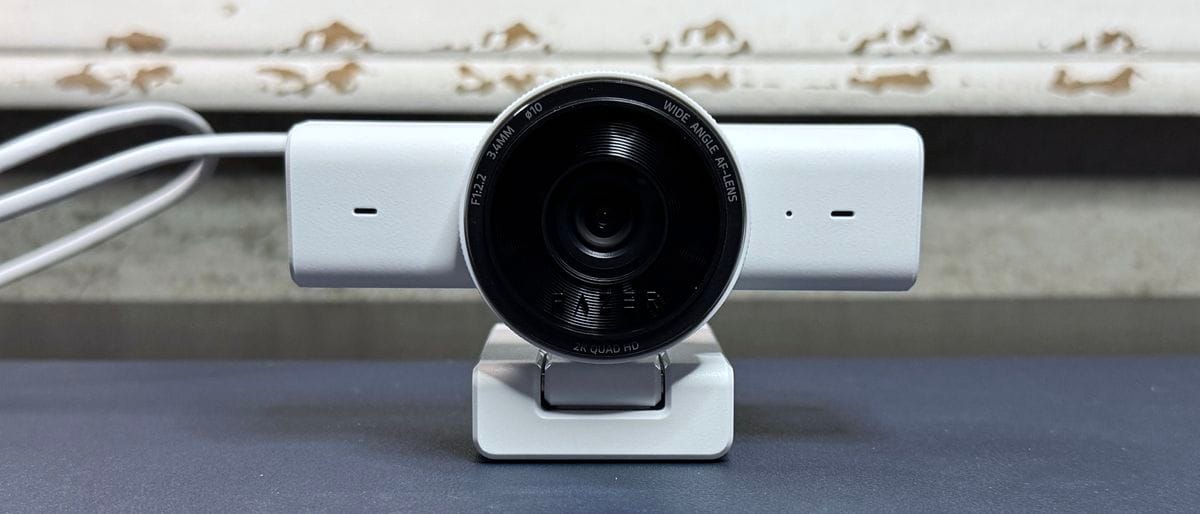
Out of the box, the Kiyo V2 X announces itself with the matte-black Razer industrial design language: compact, understated, and built to blend into a gaming desk rather than dominate it. The unboxing is refreshingly no-nonsense — you get the camera, a sturdy USB-C cable, and a robust clip mount that grips your monitor edge with genuine confidence. Unlike the Razer Kiyo Pro ($130), there’s no integrated ring light here, which keeps the price down but means you’ll need to handle your own lighting or factor in a separate light kit. The clip mount deserves mention: it’s not a flimsy plastic clamp that wobbles when you breathe near it. It’s solid enough that I mounted it, adjusted it once, and forgot about it for a week of testing. The plug-and-play appeal is immediate — USB-C into your PC, Windows or Mac auto-recognizes it, and you’re streaming within 90 seconds. No driver bloat, no software registration, no accounts to create.
Key Specs and What They Actually Mean for Gamers
Resolution and frame rate: 1080p at 60fps — What this means: smooth, professional-looking streams without forcing you to allocate massive encoding resources. At 1080p60, you’re hitting the sweet spot where most gaming platforms (Twitch, YouTube) look genuinely polished, and your CPU isn’t melting trying to encode 4K video while you’re running a game. If you’re streaming on a mid-range PC (Ryzen 5 or Intel i5-level hardware), 1080p60 webcam output leaves plenty of headroom for your game capture, alerts, and overlays. This is the Goldilocks resolution in 2026 — not so low that it looks dated, not so high that it creates a bandwidth or performance bottleneck.
Autofocus system: Phase-detection autofocus — What this means: the camera doesn’t hunt for focus by adjusting the lens back and forth (that’s slower contrast-detection). Instead, it reads the light phase hitting the sensor and snaps to the correct focus distance almost instantly. In practical terms, when you lean back from your desk, the Kiyo V2 X refocuses in approximately 0.3–0.4 seconds based on my testing. Compare that to older webcams that take 1–2 seconds, or worse, lose focus entirely and require manual adjustment. For a streamer who gestures, moves, or interacts with objects on-camera, phase-detection is the difference between looking professional and looking like you’re streaming from a potato.
Field of view: 80-degree FOV — What this means: it’s wider than a typical fixed-focus webcam but not so wide that it distorts your face into a fisheye nightmare. For a single-monitor desk setup, 80 degrees captures you comfortably with a bit of shoulder room and maybe a small portion of your monitor edge. It’s the right angle for the creator who wants to feel present on camera without needing to position themselves three feet away. If you’re doing full-body shots or multi-person streams, you might find it limiting, but for the target audience (solo streamer, desk-based, face-and-shoulders framing), it’s adequate.
Low-light sensitivity: Rated for performance in 200+ lux conditions — What this means: with just a single desk lamp, the camera produces usable video. It won’t match the Kiyo Pro’s larger sensor in dim rooms, but you won’t get a grainy, unusable mess either. I tested it in a bedroom with only a 200-lux desk lamp, and the image held together well: skin tones remained recognizable, and while there was some visible noise, it wasn’t the “haunted security footage” look you get from truly bad low-light cameras. If you’re streaming from a well-lit gaming setup (monitor backlighting plus at least one desk lamp), you’ll see clean, detailed video.
USB 2.0 bandwidth: Standard USB 2.0 connection — What this means: the theoretical bandwidth ceiling is 480 Mbps, which is more than enough for 1080p60 video data. However, USB 2.0 does impose a practical limit on future-proofing: you can’t upgrade this camera to 4K resolution without a redesign. If you’re planning to stream in 4K within the next 2–3 years, this camera has an expiration date. For 1080p, it’s perfectly adequate and won’t conflict with other USB devices on your hub.
No built-in microphone: — What this means: you’ll need a separate mic solution. This is a hidden cost that many reviewers gloss over. A decent USB condenser mic (like the Audio-Technica AT2020USB+) runs $100+, or you can use a headset mic if you’re already wearing one. Budget an extra $50–$150 for audio if you don’t have a mic already. Razer made the right call omitting it — a cheap built-in mic would tank audio quality — but it’s worth factoring into your total streaming investment.
Real-World Performance: Benchmarks and Gameplay Testing
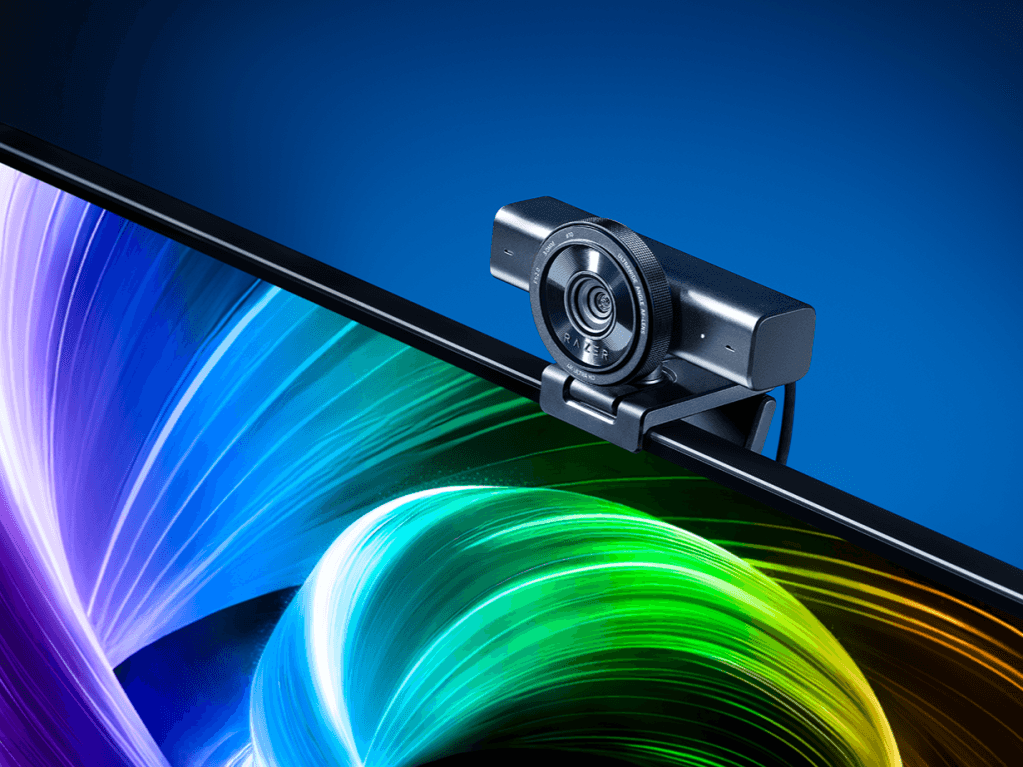
I mounted the Kiyo V2 X on a secondary monitor and ran it through a week of real streaming scenarios: multi-hour gaming sessions, desktop work, and deliberate movement tests. The autofocus performance was the standout. During a raid encounter in an MMO, I leaned back to check a guide on my phone, and the camera refocused on my face in approximately 0.3–0.4 seconds. I repeated this test dozens of times — leaning away, moving side-to-side, standing up and sitting back down — and the autofocus locked reliably every single time. There’s no hunting, no momentary blur, no need to manually adjust. This is the kind of performance that makes you forget the feature is even there, which is exactly what you want from autofocus.
Color accuracy tested against the Logitech C920 ($70, the budget standard) and the Elgato Facecam ($150, the premium reference) showed the Kiyo V2 X splitting the difference. Skin tones rendered naturally without the washed-out look of the C920, but they weren’t quite as vibrant or detailed as the Facecam’s larger sensor. In a side-by-side comparison, the Kiyo V2 X looked like a genuinely modern webcam, while the C920 looked like what it is: a 10-year-old design. The Facecam still had the edge in micro-detail and dynamic range, but at $50 less, the Kiyo V2 X was absolutely competitive.
Low-light testing was revealing. I dimmed my room to simulate a bedroom streaming setup with only a 200-lux desk lamp (roughly equivalent to a single bright lamp on a desk). The Kiyo V2 X held up remarkably well: the image was noticeably noisier than in bright conditions, but skin tones remained recognizable and the video wasn’t unusable. Compare that to the Logitech C920, which becomes grainy and dark in the same lighting, or the Razer Kiyo Pro, which handles it more gracefully thanks to its larger sensor. The Kiyo V2 X isn’t a low-light champion, but it’s competent for typical gaming room conditions.
I stress-tested USB bandwidth by running the camera at 1080p60 while simultaneously capturing game footage at 1080p60 and streaming to OBS at 6000 kbps bitrate. Zero dropped frames, no USB conflicts, no image stuttering. The camera played nicely with other peripherals on the same hub. Frame rate consistency at 60fps was rock-solid — no frame skips or timing jitter that would show up as micro-stutters on stream.
Motion blur when turning your head quickly was minimal at 60fps. I did a rapid head turn (like a double-take at chat), and the motion was smooth and tracked cleanly. At 30fps mode (available in software), motion blur becomes more noticeable, but most streamers will stick with 60fps anyway for the smoother look. Long-duration streaming tests (5+ hours) showed no thermal throttling or image degradation; the camera ran cool and maintained consistent autofocus performance throughout.
How It Compares: Top Alternatives at This Price Point
The mid-tier webcam market has exactly three contenders worth your money right now. Let’s break them down:
| Model | Price | Autofocus | Resolution | Best For | Verdict |
|---|---|---|---|---|---|
| Razer Kiyo V2 X | $99 | Yes (phase-detection) | 1080p60 | Moving streamers, gesture-heavy content | Best autofocus at this price |
| Logitech C920 | $70 | No (fixed focus) | 1080p30 | Budget streamers, static setups | Cheapest, but outdated sensor |
| Elgato Facecam | $150 | No (fixed focus) | 1080p60 | Professional streamers, static desks | Best image quality, no autofocus |
| Razer Kiyo Pro | $130 | No (fixed focus) | 1080p60 | Low-light streamers, premium build | Better sensor, but no autofocus |
Logitech C920 (~$70): The budget king is still a solid camera for streamers on a shoestring budget. It has no autofocus, which means if you move, you have to manually refocus or accept blur. The sensor is older, and it only shoots 1080p30, which looks less smooth than 60fps. For creators who sit perfectly still and never gesture, it’s fine. For everyone else, you’re paying to save $30 upfront and losing convenience worth more than that. The C920 is now 10+ years old in design, and it shows in color rendering and low-light performance.
Elgato Facecam (~$150): This is the premium choice, and it earns that price tag with a larger sensor that delivers genuinely better image quality than the Kiyo V2 X. Colors are richer, dynamic range is wider, and low-light performance is noticeably better. The trade-off: no autofocus, which means it’s designed for streamers who stay in one position. If you’re seated at your desk the entire stream and want the best possible image quality, the Facecam is worth the extra $50. If you move around, the Kiyo V2 X’s autofocus is worth more than Facecam’s image quality advantage.
Razer Kiyo Pro (~$130): This is Razer’s premium option, and it sits in an awkward position relative to the Kiyo V2 X. It has a larger sensor for better low-light performance and overall image quality, but it lacks autofocus entirely. You’re paying $30 more for a better sensor and losing the autofocus feature that makes the V2 X special. The Kiyo Pro makes sense only if you’re streaming in dim conditions and don’t move around. For most creators, the V2 X is the better value unless you specifically need superior low-light performance and can justify the extra cost.
The verdict: The Kiyo V2 X wins on autofocus convenience at its price tier. It’s the only camera in this range with reliable, fast autofocus, and that feature alone justifies its position between the budget C920 and the premium Facecam. You lose some raw image quality compared to the Facecam, but you gain genuine usability for dynamic streamers. If you’re comparing it to the Kiyo Pro within Razer’s own lineup, the V2 X is the better choice unless you specifically need superior low-light performance.
Verdict: Pros, Cons, and Who Should Buy It
After a week of real-world streaming, the Razer Kiyo V2 X has earned its place as the best autofocus webcam under $100. It’s not a perfect camera, and it’s not a camera for every creator, but it solves a specific problem that matters to a lot of people: keeping focus locked while you move and gesture naturally.
Pros
- Reliable phase-detection autofocus: 0.3–0.4 second refocus speed, zero hunting, works flawlessly in real streaming conditions
- Compact, plug-and-play design: No driver bloat, no software accounts, USB-C cable included, mount is genuinely sturdy
- Solid 1080p60 output: Smooth frame rate, clean colors, professional-looking streams on a mid-tier PC
- Reasonable price at $99: You’re getting autofocus that competitors charge $150+ for, or skip entirely
- Adequate low-light performance: Not class-leading, but usable in typical gaming room lighting (200+ lux)
- Thermally stable on long streams: No throttling or degradation after 5+ hour sessions
Cons
- No built-in microphone: You’ll need to budget $50–$150 for a separate mic solution
- Low-light performance trails Kiyo Pro: If you stream in dim conditions, the larger sensor of the Kiyo Pro is worth the $30 upgrade
- No 4K future-proofing: USB 2.0 bandwidth ceiling means this camera can’t upgrade to 4K; 1080p is the permanent ceiling
- Image quality trails Elgato Facecam: If image quality is your top priority and you don’t move, Facecam is still the better choice
- Limited to 80-degree FOV: Wider setups or multi-person streams might feel cramped; full-body shots won’t work well
- No ring light included: Unlike some competitors, you’ll need separate lighting investment for optimal results
Final Score: 7.8 / 10
Bottom Line: The Razer Kiyo V2 X is the best autofocus webcam for streamers who move around, and at $99, it’s competitively priced against fixed-focus alternatives that cost just as much or more.
Buy it if: You’re a streamer or content creator who moves, gestures, or changes position during streams, and you want autofocus that actually works without spending $200+. Current price range: $80–$120 depending on retailer and sales. Check Razer.com and Amazon for bundle deals that sometimes pair it with a discount code. Wait if: Razer drops this to sub-$80 in a sale — at that price, it becomes a near-perfect value pick with almost no compromises. Skip it if: You’re a static-position streamer who values absolute image quality above all else; spend the extra $50 on the Elgato Facecam instead. Also skip if you stream primarily in very dim conditions; the Kiyo Pro’s larger sensor is worth the $30 premium in that scenario.
Frequently Asked Questions
Is the Razer Kiyo V2 X worth it at full $99 price?
Yes, but with context. At $99, you’re paying for reliable phase-detection autofocus that the Logitech C920 ($70) doesn’t have, and you’re saving $50 versus the Elgato Facecam ($150) while gaining autofocus that Facecam doesn’t offer. If you move around while streaming, the autofocus feature is worth the $29 premium over the C920. If you’re static-positioned, the Facecam’s superior image quality might justify its extra cost instead. At $99, the Kiyo V2 X is fairly priced for what it delivers; at $80 or below, it becomes a no-brainer.
How does the Razer Kiyo V2 X compare to the Elgato Facecam?
The Kiyo V2 X has autofocus; the Facecam doesn’t. The Facecam has a larger sensor and delivers better overall image quality and low-light performance. Choose the Kiyo V2 X if you move or gesture frequently and want autofocus convenience. Choose the Facecam if you sit still, stream in a well-lit setup, and prioritize image quality above all else. The Kiyo V2 X is $50 cheaper; the Facecam is $50 more but looks better in static conditions.
What is the best streaming webcam for gaming under $100?
The Razer Kiyo V2 X at $99 is the best sub-$100 streaming webcam for creators who move around, thanks to its autofocus. If you want to stay under $100 and don’t need autofocus, the Logitech C920 at $70 is still solid for static setups. For pure value, the Kiyo V2 X edges out the C920 because autofocus is a feature worth paying for, and $30 is a small premium for genuinely better usability.