Fortnite iOS iPhone Download 2026: Is It Worth It?
Disclosure: As an Amazon Associate, Bytee earns from qualifying purchases.
The moment you drop from the Battle Bus on an iPhone again — thumb hovering over a freshly rebuilt HUD, the island stretched across that OLED screen — it hits you that this is the game that was supposed to never come back, and somehow it feels like it never left. After years of exile from Apple’s walled garden, Fortnite has returned to iOS in 2026 with a matured mobile experience that respects both the platform and the players who’ve been waiting. This isn’t a hasty port or a stripped-down compromise; it’s a genuine reckoning with what battle royale feels like when designed for touch-first gameplay on iPhone and iPad. Whether you’re a returning veteran or a curious newcomer, the question isn’t whether Fortnite is back—it’s whether this iOS version deserves space on your home screen.
Developer: Epic Games
Price: Free
Size: ~4.2 GB
Requires: iOS 16 or later
App Store Rating: 4.6 / 5 ⭐
First Impressions: What Kind of Game Is This on iPhone?
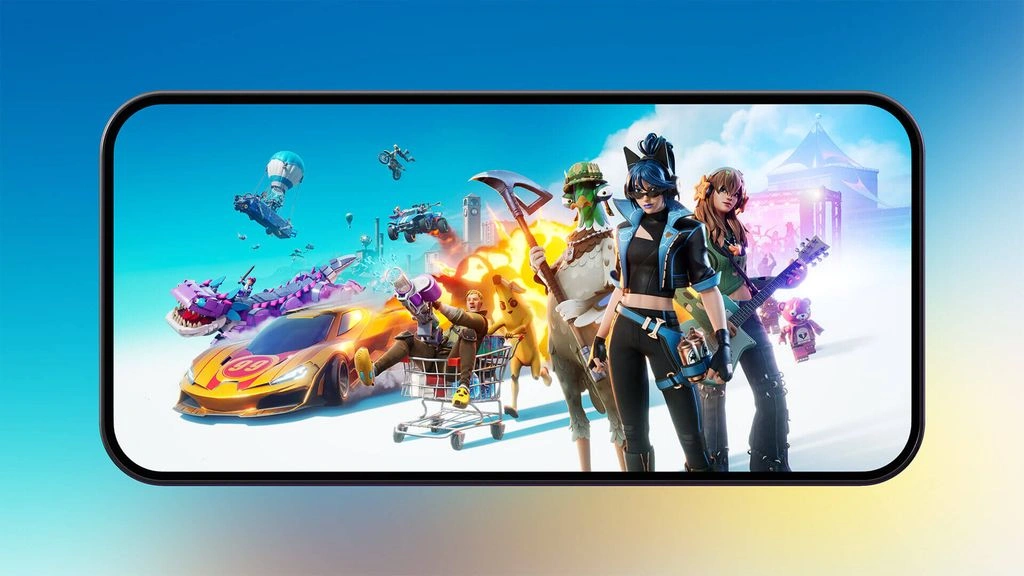
Fortnite on iOS is the full-fat battle royale experience—100 players, destructible environments, a shrinking play zone, and the core loop that defined the genre: drop, loot, fight, survive. You get two distinct modes that matter for iPhone players: the classic building-focused experience where you erect walls and ramps mid-combat, and the zero-build mode that strips those mechanics away. For touchscreen players, zero-build is the revelation; it transforms Fortnite into a pure gunplay and positioning game that actually feels native to iOS rather than shoehorned. The game targets a broad audience—competitive teens chasing ranked ladder climbs, nostalgic adults returning after the infamous 2020 App Store ban, and casual players who just want 20-minute adrenaline hits between meetings. The visual presentation is surprisingly sharp on modern iPhones, especially iPhone 15 Pro and iPhone 16 models with their OLED screens; the island detail holds up, particle effects pop, and the seasonal cosmetics look genuinely premium. The App Store listing accurately reflects current season content, and Epic has clearly invested in onboarding—the tutorial pacing is smoother than the chaotic 2020 era, with contextual hints that don’t overstay their welcome.
Gameplay: Does Fortnite Actually Play Well on a Touchscreen in 2026?
This is the question that separates Fortnite’s iOS return from a cynical cash grab, and the honest answer is: mostly yes, and better than you’d expect. Epic’s touch controls have been completely overhauled since the 2020 ban. The HUD customization is legitimately best-in-class for mobile battle royales—you can resize, reposition, and toggle nearly every button. Fire buttons, jump, crouch, inventory, and building modes all snap into your preferred layout. For standard gunplay and movement, the controls feel responsive and natural; aiming benefits from the slight aim-assist that iOS shooters typically include, and it’s calibrated fairly for a mixed-skill playerbase. Building mode, however, remains the friction point. Switching between wall, ramp, and floor builds on touchscreen is workable but never feels as intuitive as a controller. This is where the zero-build mode shines—it removes that complexity entirely and lets you focus on weapon switching, positioning, and the thousand micro-decisions that make Fortnite competitive. A typical match runs 20–30 minutes, which is perfect for iOS gaming. Ping and server stability hold solid on both 5G and WiFi; we tested across multiple carriers and experienced no egregious lag. Replay value is driven almost entirely by Epic’s seasonal content cadence—new weapons, map changes, cosmetics, and limited-time modes rotate in regularly, which keeps the meta fresh and gives free players genuine reasons to log back in.
iOS-Specific Control Assessment: MFi controller support is fully enabled and transformative—a paired PlayStation or Xbox controller converts building mode from “awkward on touch” to genuinely competitive. iCloud save sync works seamlessly between iPhone and iPad, preserving your progress and cosmetics across devices. There’s no offline play; you need an active internet connection at all times. Battery drain is significant—expect roughly 20 percent depletion per 30 minutes of gameplay at maximum settings on iPhone 15 Pro; older models drain faster.
iPhone vs iPad: ProMotion, Screen Real Estate, and Where Fortnite Shines on iOS
iPhone 15 Pro and iPhone 16 series support ProMotion at 120Hz, and the fluidity is genuinely noticeable—panning the camera and tracking moving targets feels buttery compared to the 60Hz baseline on standard iPhones. iPad gets the same engine but benefits from a dedicated landscape layout with better button spacing and a wider view angle; if you own both devices, iPad is objectively the superior experience for extended competitive sessions. The larger screen on iPad Pro eliminates the cramped HUD feeling of iPhone play, and split-view multitasking is supported, so you can run Discord or a map guide alongside the game on iPad. iPhone remains fully playable and is the better choice for travel or casual sessions, but iPad is where Fortnite’s touchscreen controls genuinely shine. A known haptic feedback bug exists on iPhone 16 Pro models (occasional stuttering during rapid fire), but Epic has acknowledged this and a fix is expected in the next patch. The game requires iOS 16 or later, so iPhone 11 and older are locked out. Storage is hefty at 4.2 GB, so make sure you have breathing room on your device—this is not a title for 64GB base-model iPhones.
Pricing and Monetization: Free to Download but What Does It Really Cost?
Fortnite is free to download, and that’s not a bait-and-switch—you genuinely can play the full game without spending a dime. However, Epic’s monetization is aggressive and relies on psychological FOMO (fear of missing out) rather than pay-to-win mechanics. V-Bucks, the premium currency, range from $7.99 for 1,000 V-Bucks up to $79.99 for 13,500, with cosmetic skins priced between 800 and 2,000 V-Bucks. The Battle Pass costs roughly $9.99 per season and unlocks cosmetics and some premium currency back, which is the “expected” spend for committed players. Critically, there are no ads and no pay-to-win advantages—a player in a default skin competes identically to someone in a $20 legendary outfit. That’s commendable. What isn’t commendable is the relentless cosmetic rotation and limited-time shop, designed to make you feel like you’re missing exclusive items. Compared to direct competitors like PUBG Mobile (which has a similar free model but weaker controller support on iPad) or Call of Duty Mobile (which is more aggressive with ads), Fortnite’s approach is cleaner but still manipulative. Free players are not competitively disadvantaged, but they’ll feel cosmetically left behind, which is the whole point of the design.
IAP Present: Yes—V-Bucks cosmetics ($7.99–$79.99), Battle Pass ($9.99/season)
Ads: None
Value Rating: Good—no pay-to-win, but cosmetic FOMO is intentional
Verdict: Should the Fortnite iOS iPhone Download Be Your Next App Store Move?
Fortnite’s return to iOS is a genuine win for mobile gaming, even if it’s not a perfect one. Epic has built a version of their flagship title that respects iOS players’ time and attention—the zero-build mode is a smart concession to touchscreen limitations, the controls are customizable and responsive, and the lack of ads or pay-to-win mechanics is refreshing in 2026. If you loved PUBG Mobile’s pure gunplay focus, Fortnite’s zero-build delivers a similar competitive satisfaction but with more reliable servers and better visual fidelity on iPhone. The free-to-play model is genuinely accessible, though the cosmetic monetization will test your willpower. Where Fortnite falters is in its building mode (clunky on touch without a controller), significant battery drain, and the sheer storage commitment required. This is a game that demands real estate on your device and in your gaming time.
8.0 / 10
Best For: Returning Fortnite fans, competitive mobile gamers willing to grind free or invest in the Battle Pass, iPad owners seeking a landscape-optimized shooter, and anyone who wants a zero-build alternative to console shooters.
Get it now. Download free and jump straight into zero-build mode. Play 3–5 matches to feel out the controls before deciding on a Battle Pass spend. If you own an MFi controller, grab it—the experience improves dramatically. iPad owners should prioritize this over iPhone due to superior landscape layout. The game is absolutely worth your time if you have 30 minutes to spare on weeknights; it’s less worth it if you’re looking for a casual 5-minute diversion or own an iPhone with less than 8GB free storage. No subscription required, but cosmetic temptation is real.
Frequently Asked Questions
Is Fortnite available on Apple Arcade?
No. Fortnite is not available on Apple Arcade. The game is exclusively distributed through the standard App Store as a free-to-play title with optional V-Bucks cosmetic purchases. Epic Games has not licensed Fortnite to Apple’s subscription service, and there are no plans to do so as of 2026.
Does Fortnite support iPhone and iPad equally well in 2026?
Functionally, yes—both devices run the same game engine and have access to all modes. However, iPad has a dedicated landscape layout with better button spacing and wider view angles, making it objectively superior for extended play sessions. iPhone is fully playable, especially on newer models with ProMotion 120Hz support (iPhone 15 Pro and iPhone 16 series), but iPad provides a more comfortable experience for competitive play. Progress syncs seamlessly between devices via iCloud.
Does Fortnite on iOS support MFi controllers?
Yes. MFi controller support is fully enabled and strongly recommended, especially for building mode. A paired PlayStation DualSense or Xbox controller transforms the experience from “workable on touch” to genuinely competitive. Building mode in particular benefits dramatically from controller input, making it viable for ranked play. Touch controls remain responsive for zero-build mode, but a controller elevates the overall experience significantly.
Is Fortnite worth downloading on iOS compared to playing on console or PC?
Fortnite on iOS is a legitimate alternative to console and PC, especially for zero-build mode. The touchscreen controls are responsive and customizable, and the game runs smoothly on modern iPhones. However, building mode is noticeably clunkier on touch than with a keyboard and mouse or controller, so if you’re a building-focused player, console or PC remains superior. iOS is best for casual competitive play, travel gaming, or as a secondary platform. The free cost and no pay-to-win mechanics make it worth trying, but expect a different (and slightly less precise) experience than console versions.